
This guide explains how to record transfers between a cash register and a bank account in the accounting system — for example, when cash is withdrawn from the bank to the cash register.
1. Create a new entry under Accounting > Journal Entries > New Entry.
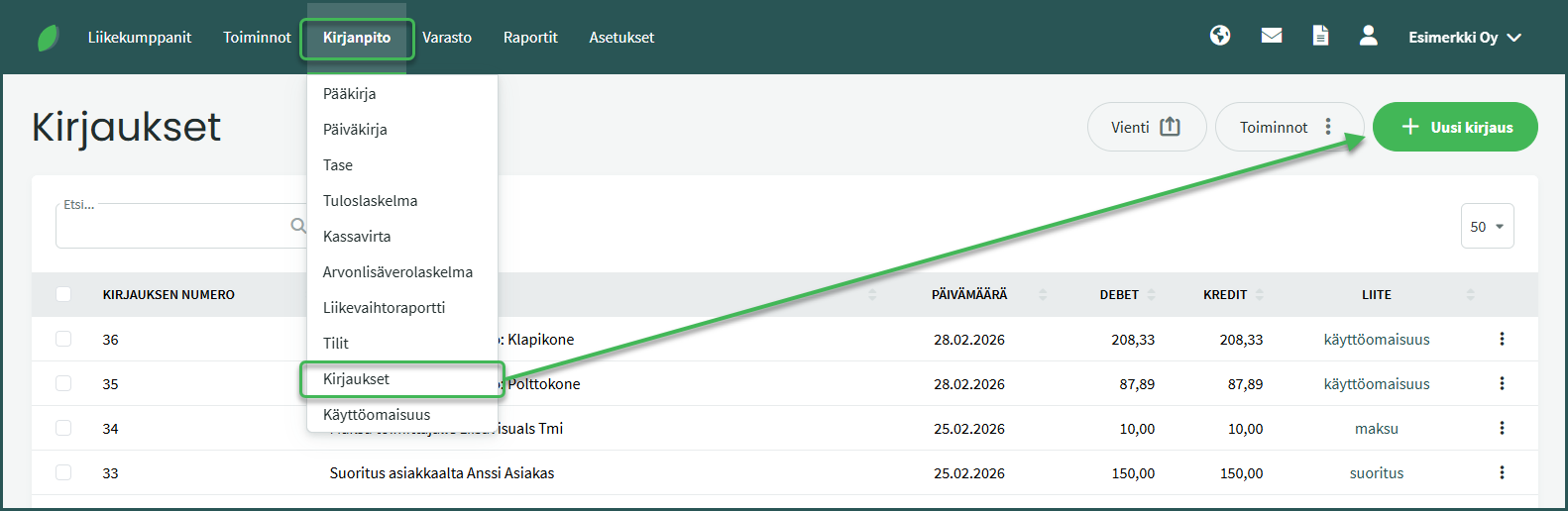
2. Fill in the required details for the entry
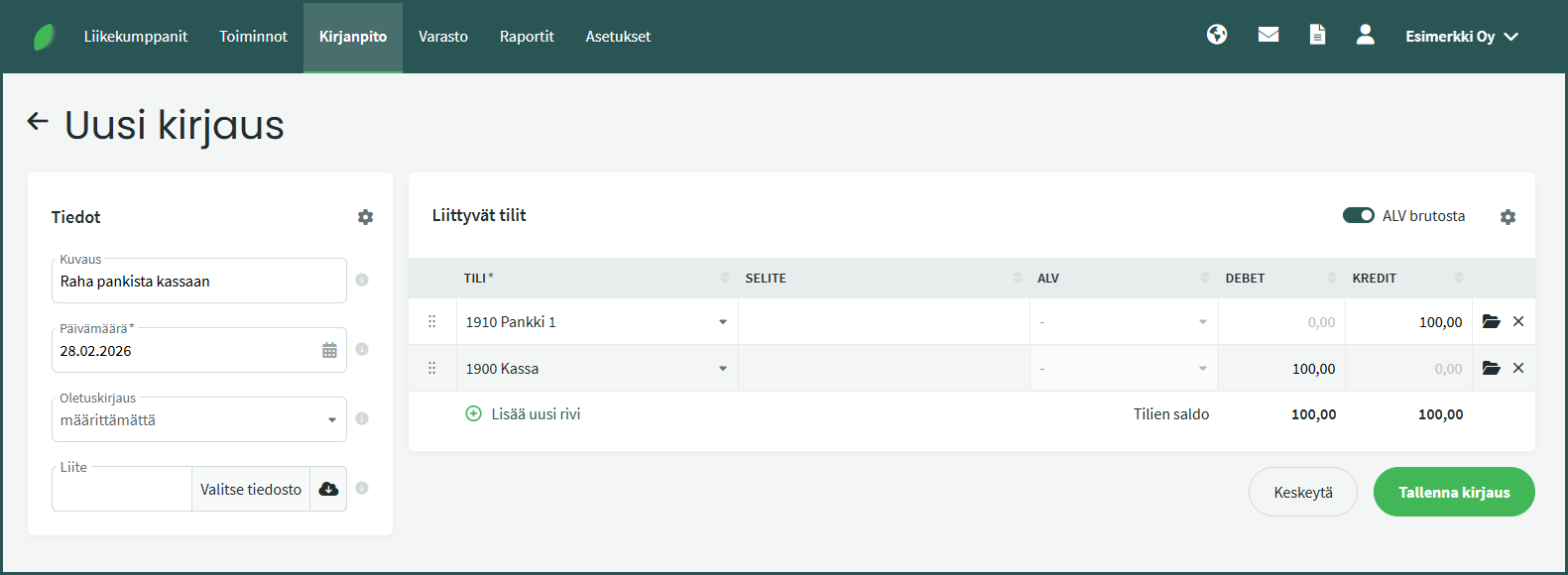
- Description – Add a description for the entry, e.g. “Cash withdrawal from bank to cash register”.
- Date – Select the date of the cash withdrawal or deposit.
- Default entry – A default entry automatically fills in the description and the accounting accounts in the debit and credit columns. See the guide for default entries here.
- Attachment – You can add an attachment to the entry, such as a bank transaction record or a cash withdrawal receipt.
- Account – Fill in the bank account (e.g. 1910) and the cash register account (e.g. 1900) with the respective amounts on the entry lines.
💡 Tip: When you need to make the same type of entry again, open the previously created entry under Accounting > Journal Entries. In the entry view, select Actions > Copy Entry on the right. The software copies the entry so that you only need to update a few fields.
Other related guides:
Leave A Comment?