
HOW IS AN AUTOMATIC REFERENCE NUMBER ADDED TO SALES INVOICES?
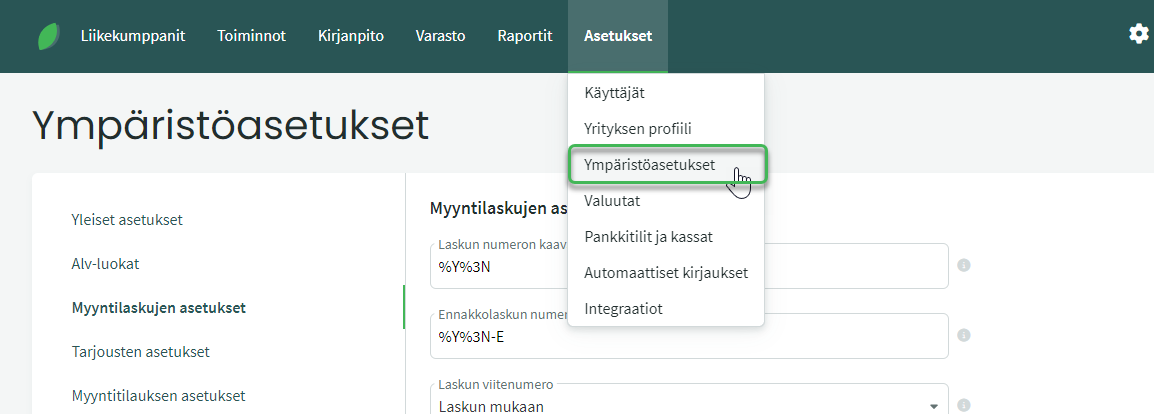
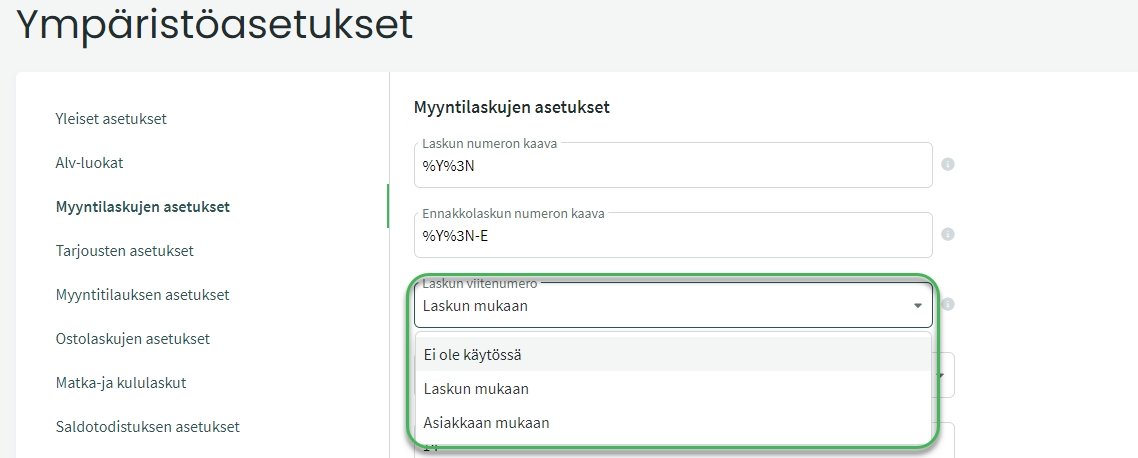
- Not in use. Select this if you do not want to use automatic reference numbering.
- By invoice. Generates a unique reference number for each invoice separately.
- By customer. Uses the same reference number for the same customer on every invoice.
WHICH METHOD SHOULD YOU USE?
Automatic numbering should always be enabled so that a reference number is generated for each invoice.
It is generally easier for a company to use invoice-based reference numbering, because it makes it easier to match invoices with their corresponding payments.
Customer-based reference numbering may be more convenient for the customer, as they can always pay using the same reference number.
HOW DOES THE SOFTWARE GENERATE THE REFERENCE NUMBER?
For invoice-based reference numbers, the software generates the number from the last two digits of the year, a four-digit unique sequential number, and a check digit. For example, 1812347 = year 2018 + 4 digits + check digit.
For customer-based reference numbers, the number consists of the digit 9, a four-digit unique sequential number, and a check digit. For example, 912347 = digit 9 + 4 digits + check digit.
Leave A Comment?