
This guide explains how to create and edit default entries.
What are default entries?
In SimplBooks you can save default entries for your most frequently used accounting postings. Default entries speed up your bookkeeping.
When can I use default entries?
You can use default entries when you are creating accounting postings manually or from bank transactions imported into the software. The software creates accounting postings for invoices, receipts and payments automatically, so default entries are not needed for those.
Typical situations where default entries can be useful include recurring monthly service fees, payroll, tax transactions, or transactions involving multiple cost centres.
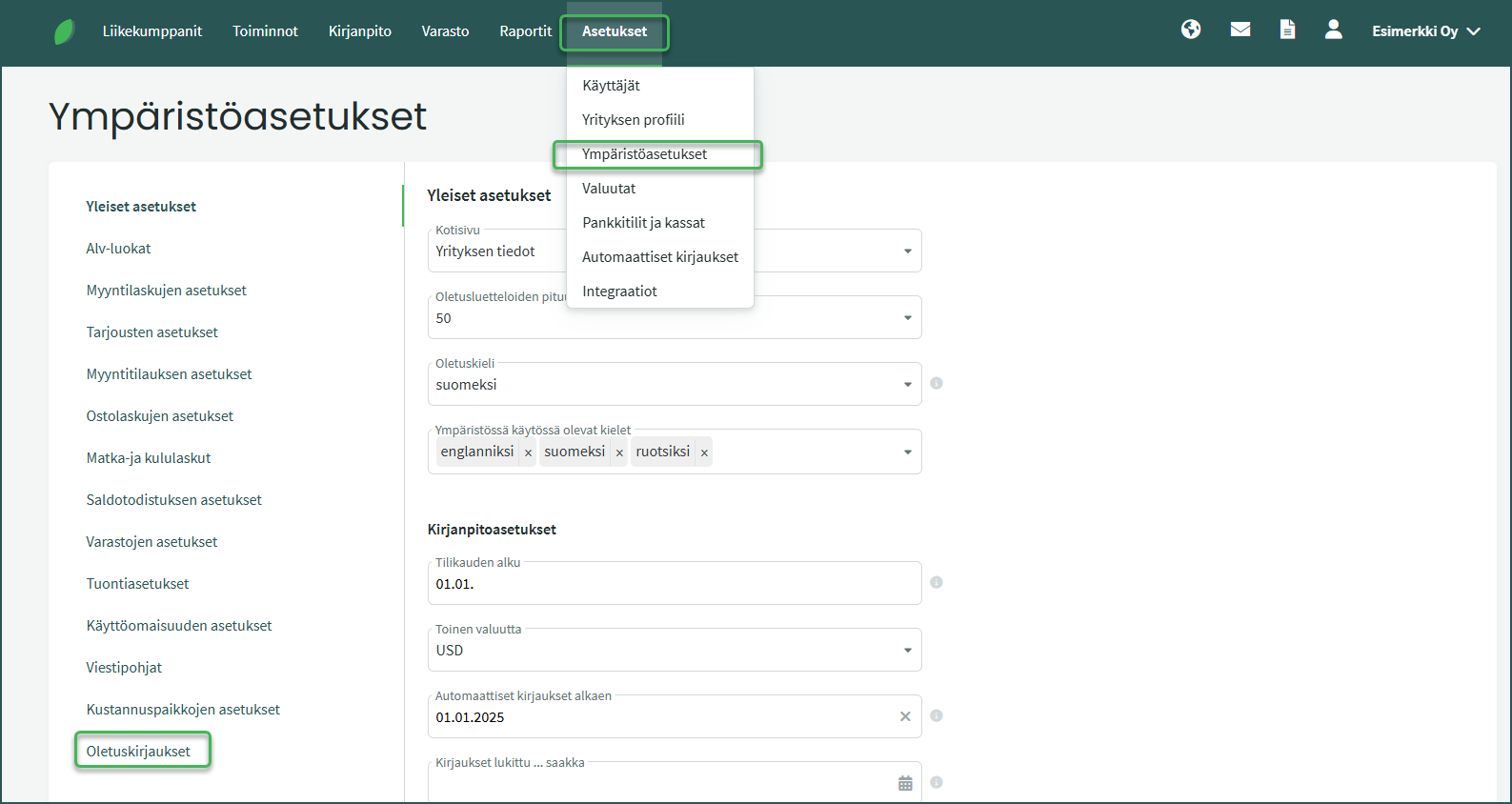
1. You can create a new default entry under Settings > Environment Settings > Default Entries.
2. Create a new default entry by clicking “Add new default entry”.
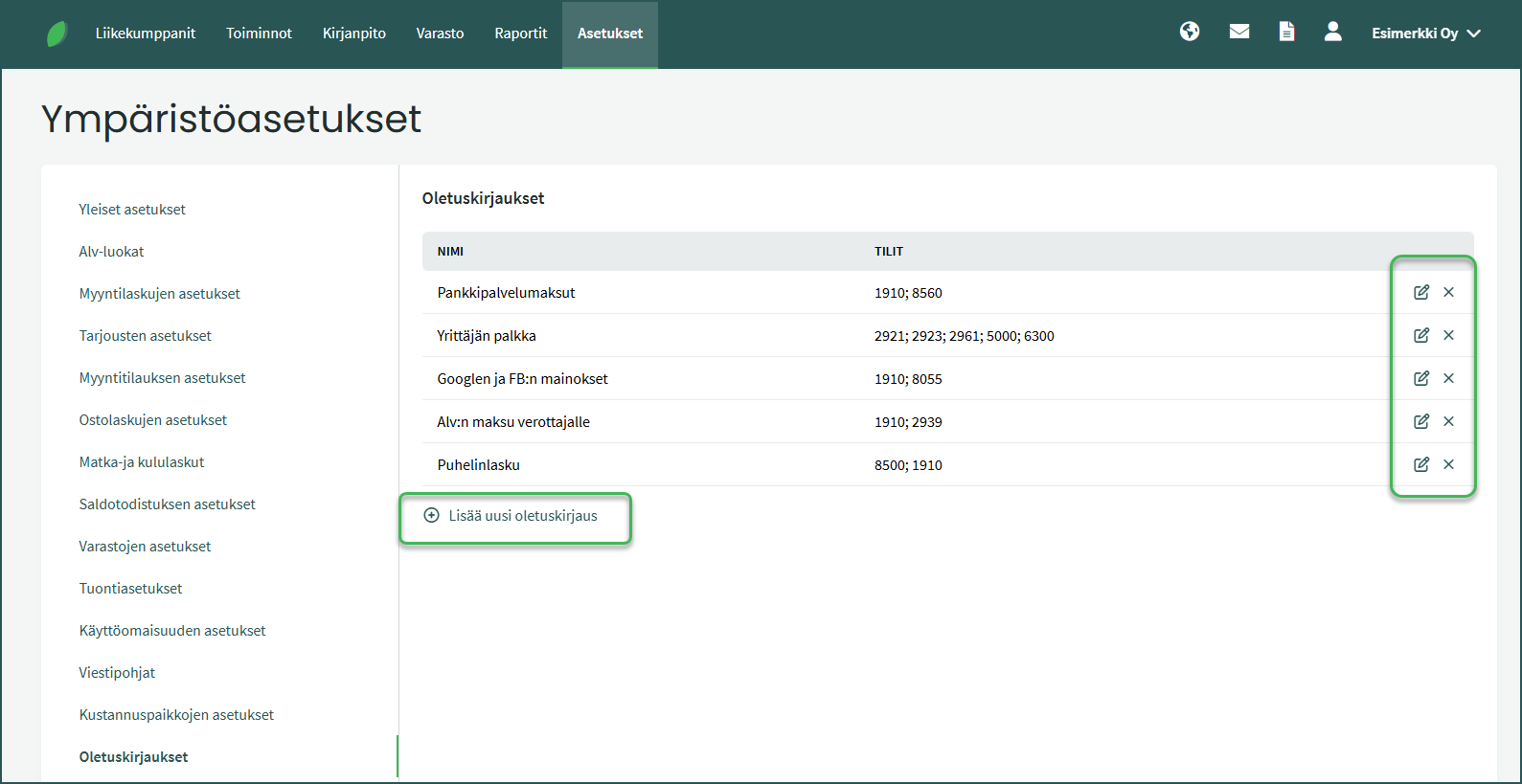
You can edit or delete existing default entries using the icons at the end of each row.
3. Enter the required details
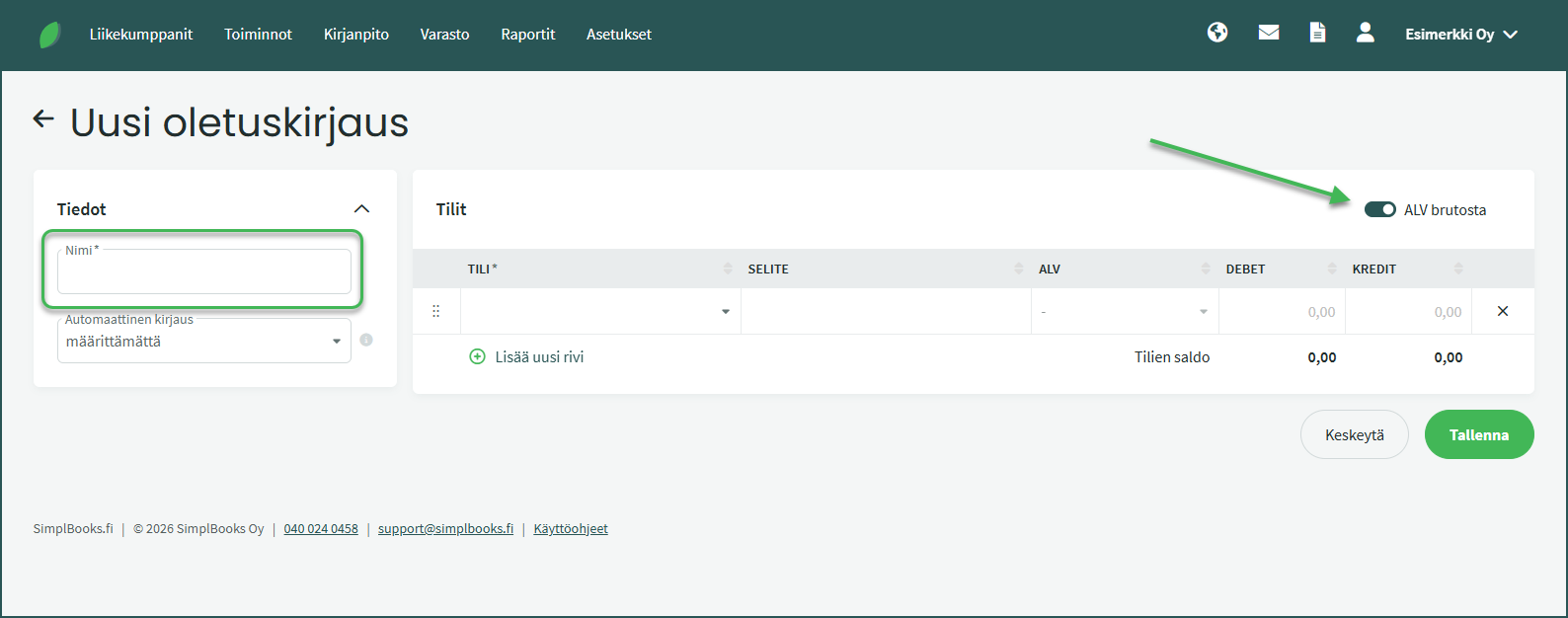
- Required fields:
- Name (becomes the posting description)
- At least two accounting accounts.
- Optional fields:
- Amounts (note debit and credit)
- VAT rates
- Whether VAT is calculated from gross or net
4. You can also create a default entry based on an existing accounting posting.
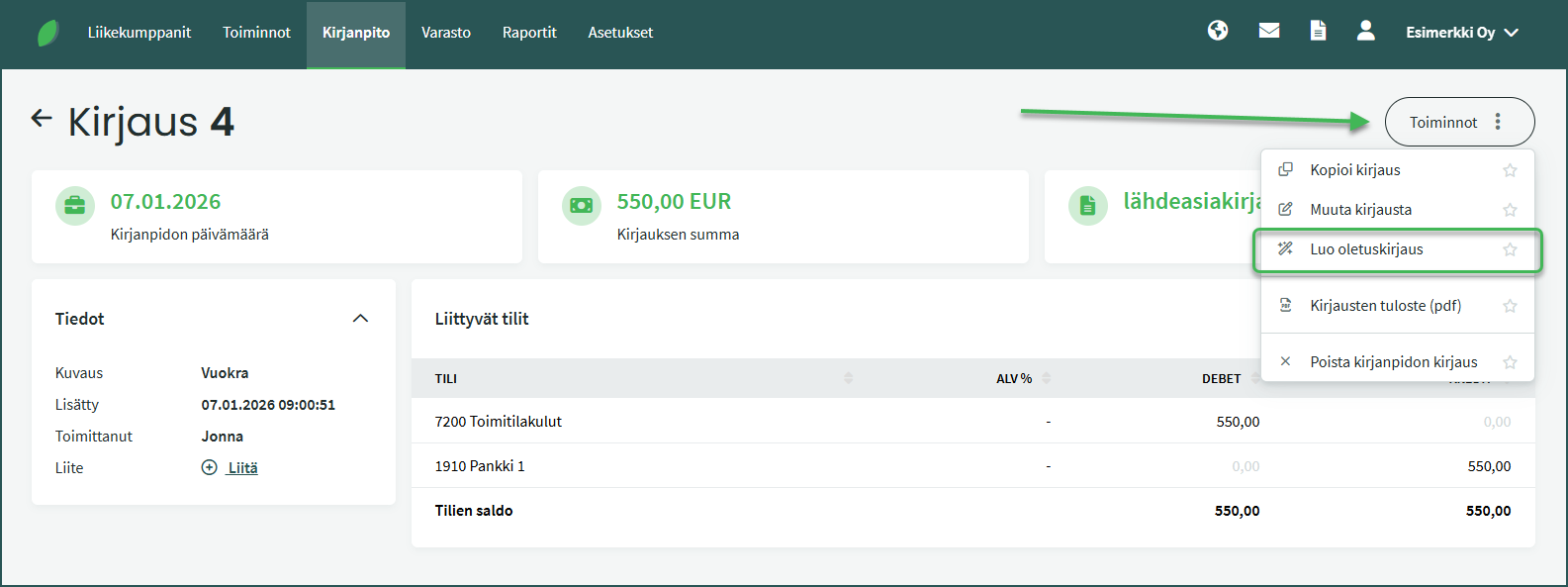
- Open the accounting posting under Accounting > Postings.
- On the right, select Actions > Create default entry.
- Edit the details if needed and click “Save“.
- The default entry is now saved and you can use it when creating accounting postings in the future.
5. Using default entries
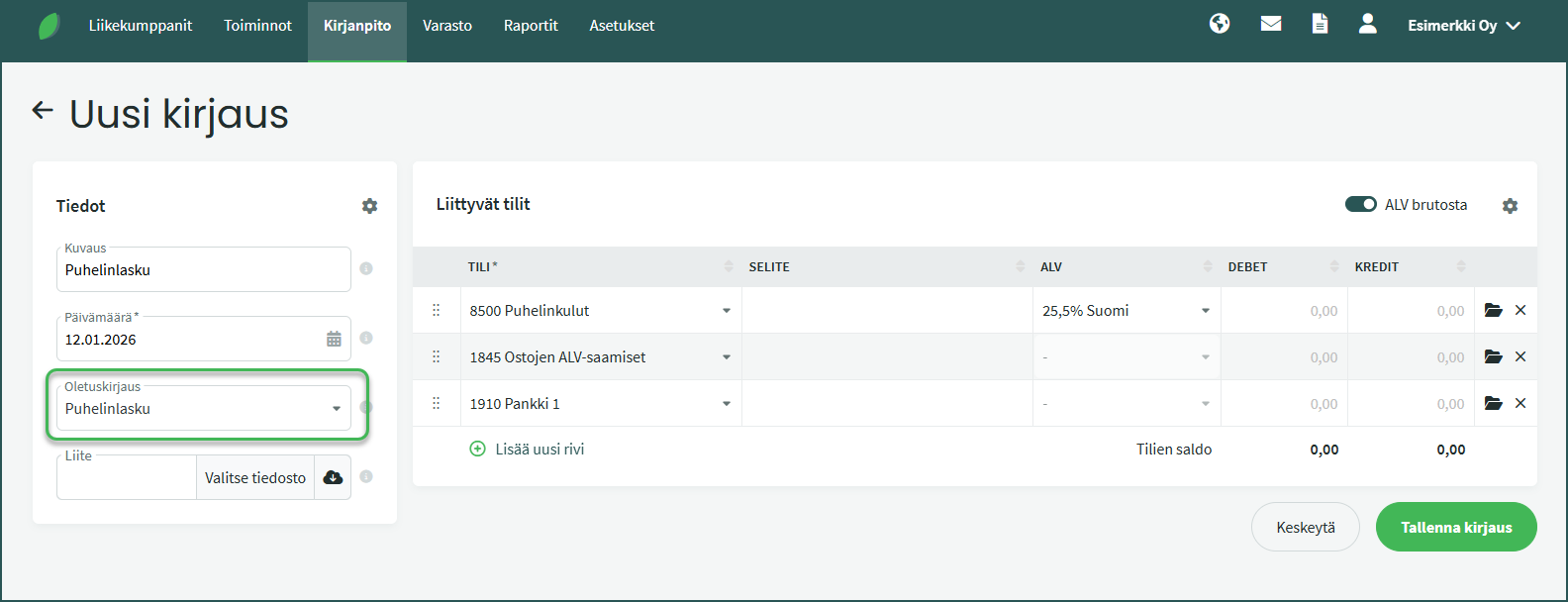
You can select a default entry in the following situations:
- When creating an accounting posting under Accounting > Postings > New posting.
- When saving a bank transaction as an accounting posting.
When you select the default entry to use from the “Default entry” drop-down field, the software automatically adds rows to the posting and fills them in with the details saved in the default entry.
Leave A Comment?