
This guide explains how to send automatic payment reminders from SimplBooks.
Automatic reminders are set up under Settings > Environment Settings > Sales Invoice Settings.
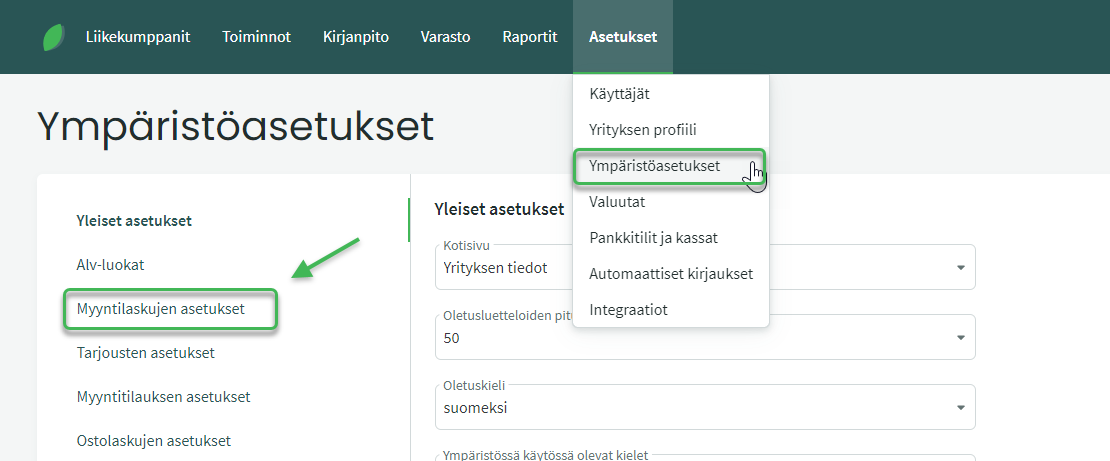
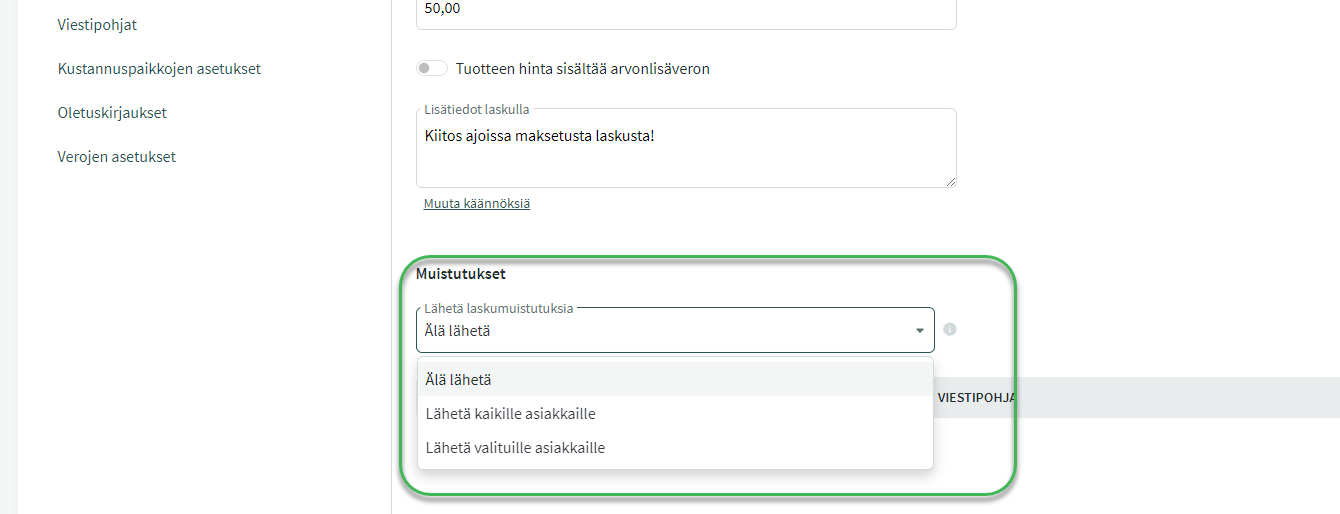
- You can automatically send reminders to all customers or only selected customers.
- You can create different message templates to be used in automatic reminders.
- You can define when the reminder is sent.
- You can send reminders before the invoice due date — that is, notify customers of an upcoming due date in advance.
- A reminder can also be set to go out if payment has not been received by the due date, or for example within a week of it.
First choose whether you want to send reminders to all customers or only selected ones. Then click “Add new reminder”.
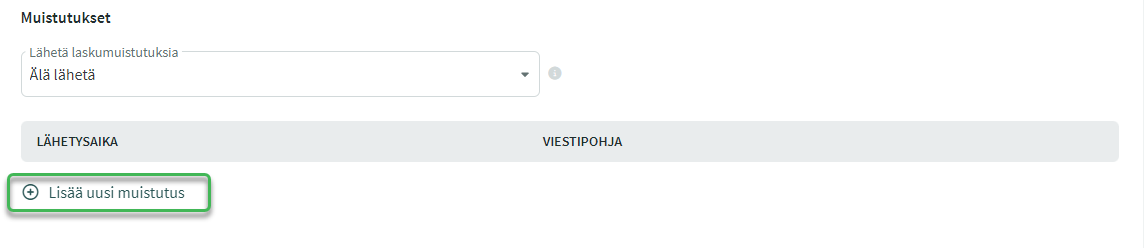
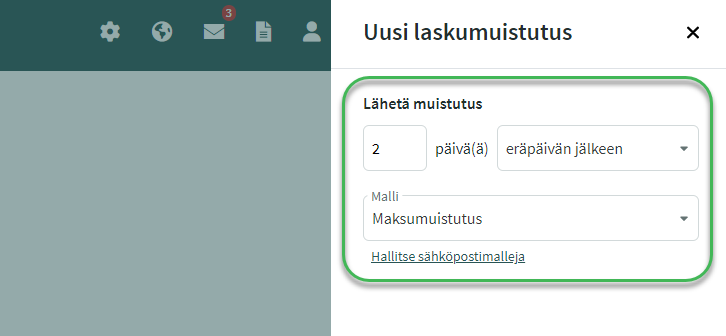
Choose when you want the automatic reminders to be sent, and then select the appropriate message template to use in the reminders from the “Template” field.
- New message templates can be created by clicking “Manage email templates”, or within the program under SETTINGS > Environment Settings > Message Templates > “Add new message template”.
- You can create separate templates for advance reminders as well as for reminders sent after the due date, for example.
Save the environment settings at the bottom of the page.
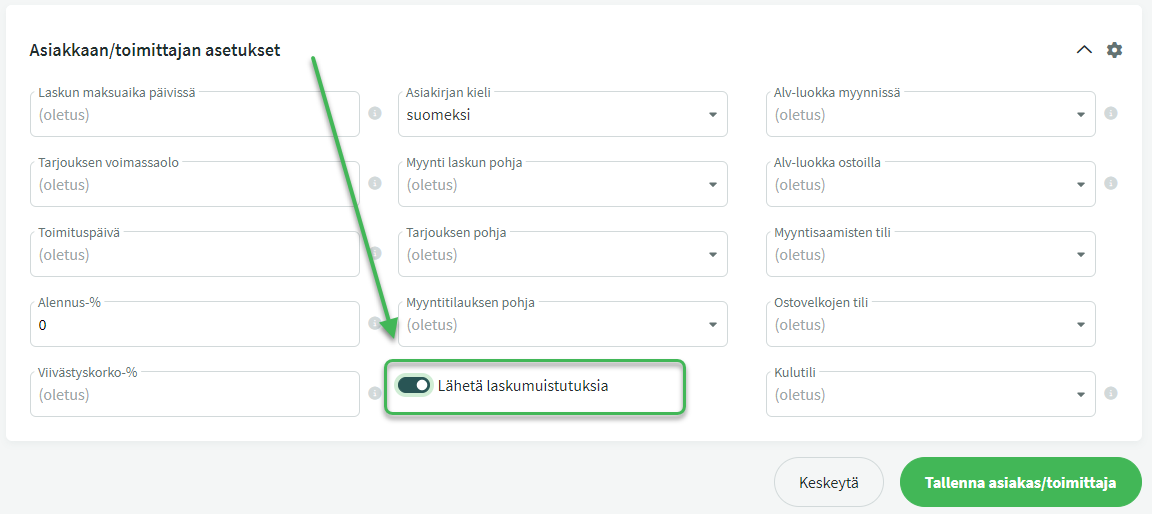
When you want to send reminders only to specific customers, enable the reminder from the customer’s profile under Business Partners > Customers and Suppliers.
- Select the customer you want to send automatic reminders to > Edit customer/supplier.
- Open the customer settings and set the “Send payment reminders” option to active.
- Note: This option only appears when automatic payment reminders have been set to send to selected customers.
Leave A Comment?