
This guide explains how to change the automatic numbering of invoices, quotes, and inventory entries.
What does automatic numbering mean?
Automatic numbering means that the program assigns sequential numbers to invoices and other documents automatically, in accordance with good bookkeeping practice, so you do not need to enter numbers manually.
📢 Note! The program already has default automatic numbering settings configured, so changes are only needed if you do not want to use the default settings.
1. Automatic numbering is changed under Settings > Environment Settings
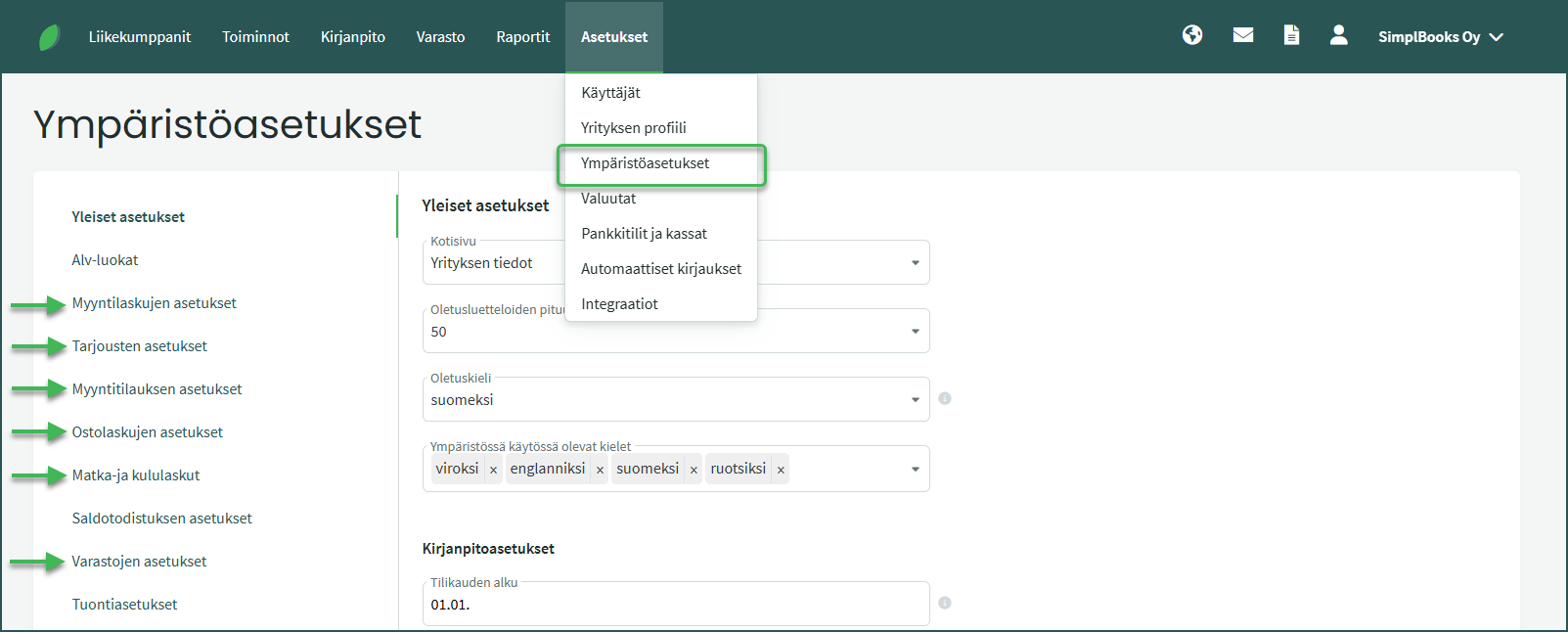
The program automatically numbers the following documents:
- Sales invoices and purchase invoices
- Quotes and sales orders
- Expense reports and expense claims
- Inventory entries
2. Automatic numbering formula
The automatic numbering formula defines the format in which invoice and voucher numbers are generated in the program. The formula consists of various characters, each with its own meaning.
Characters used in the formula:
- Y = Year
- M = Month
- D = Day
- T = Accounting date (e.g. TY, TM, TD)
- 1-5N defines the length of the sequential number series
Formula characters are separated from each other by the % sign.
Some letters and punctuation marks can also be used in the formula.
📢 Note! The number preceding the letter N defines the length of the sequential number series. When the defined number series is exhausted, numbering restarts from the beginning.
For example, %2N means that the sequential numbering is two digits long (1–99). After that, numbering restarts from the beginning. For this reason, we recommend also including the year and/or month in invoice numbers to avoid duplicate numbers.
3. Examples
- Generates invoice number 25001 (the first invoice of the year, where the year is followed by a three-digit sequential series)
- Numbering restarts at the beginning of each year:
- First invoice of 2026 = 26001
- First invoice of 2027 = 27001
- Generates invoice number 25030001 (the first invoice of March 2025, where the month is followed by a four-digit sequential series)
- Numbering restarts at the beginning of each month:
- First invoice of April 2025 = 25040001
- First invoice of May 2025 = 25050001
- Generates invoice number ML-2503-001 (the first sales invoice of March 2025, where the month is followed by a three-digit sequential series, with the prefix ML and hyphens)
- Numbering restarts at the beginning of each month:
- First invoice of April 2025 = ML-2504-001
- First invoice of May 2025 = ML-2505-001
Leave A Comment?