
SimplBooks comes with all the necessary VAT settings pre-configured, and you do not need to change them. The software calculates VAT correctly for the VAT return based on the VAT rate selected for each entry and invoice.
This guide explains how you can change the VAT settings if needed.
NOTE: For instructions on checking settings related to the change in the standard VAT rate that took effect on 1 September 2024, click here.
VAT RATES (VAT CLASSES)
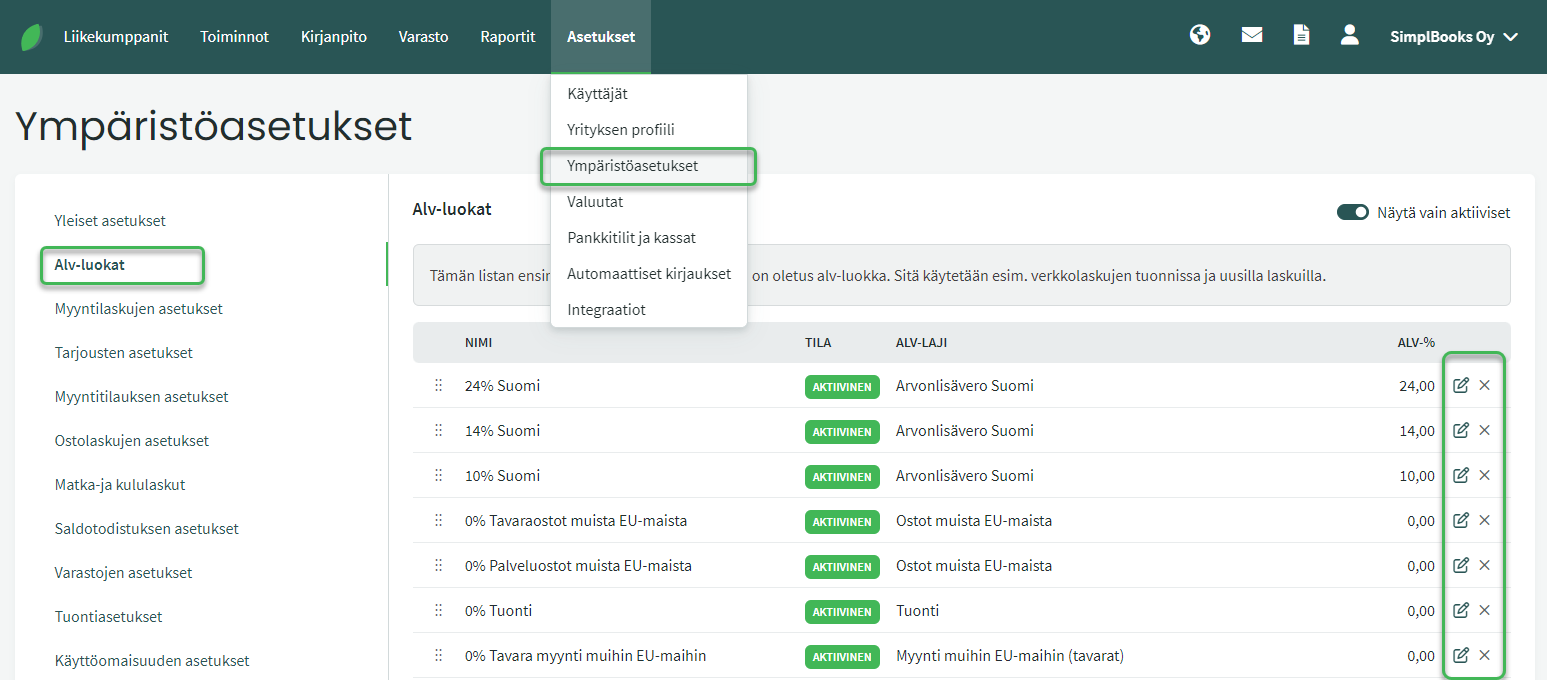
VAT classes are used when creating invoices or accounting entries.
- Based on the selected VAT rate, the software calculates the VAT amount and includes it in the VAT return.
- The software also includes pre-configured VAT rates for international trade purposes.
VAT classes are edited using the icon at the end of each row.
- By editing a VAT class, you can change, for example, the accounting accounts linked to the VAT rate for sales revenue.
VAT RETURN SETTINGS
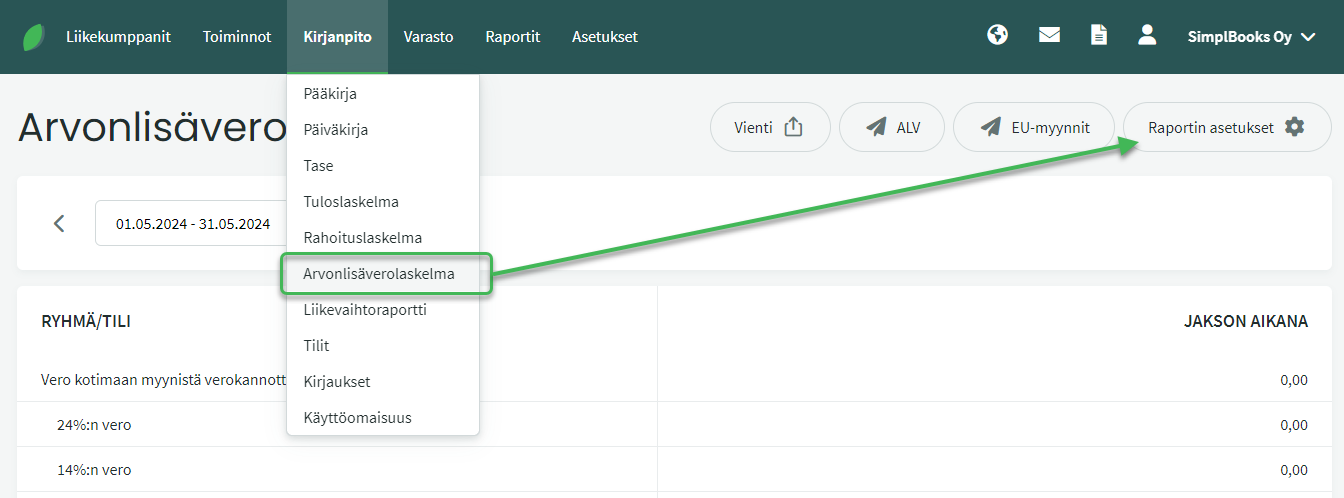
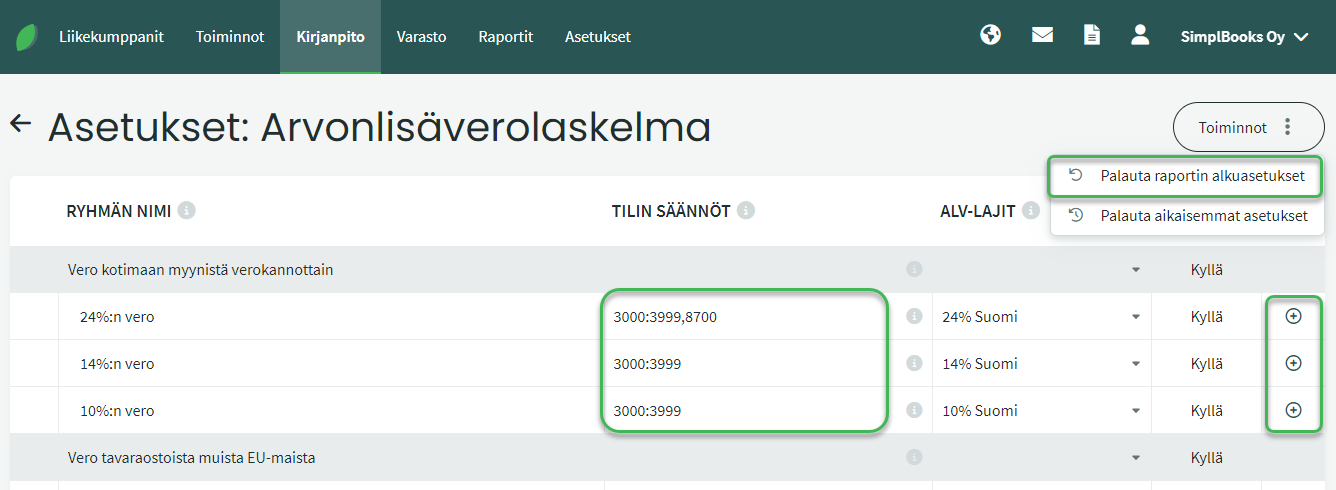
You can adjust the report settings as needed — for example by adding accounting accounts to rows or adding rows under different VAT classes. Remember to save the settings at the bottom of the page.
From this page you can also restore the VAT return to its default settings or revert to a previous custom configuration if you have made changes and wish to undo them.
Leave A Comment?