
This guide explains how to create travel expense reports in SimplBooks.
A travel expense report lets you record the costs of business trips in your bookkeeping. The software automatically calculates tax-free mileage reimbursements, daily allowances, and meal allowances based on the information you provide, and creates the necessary accounting entries. You can also add receipts for purchases made during the trip to the travel expense report.
Can travel expenses be invoiced to a customer?
Yes. You can add daily allowances and mileage reimbursements from a travel expense report directly to a sales invoice and bill them on to your customer. See the detailed guide here.
Want to know more?
Read more on our blog: How to create a first-class travel expense report.
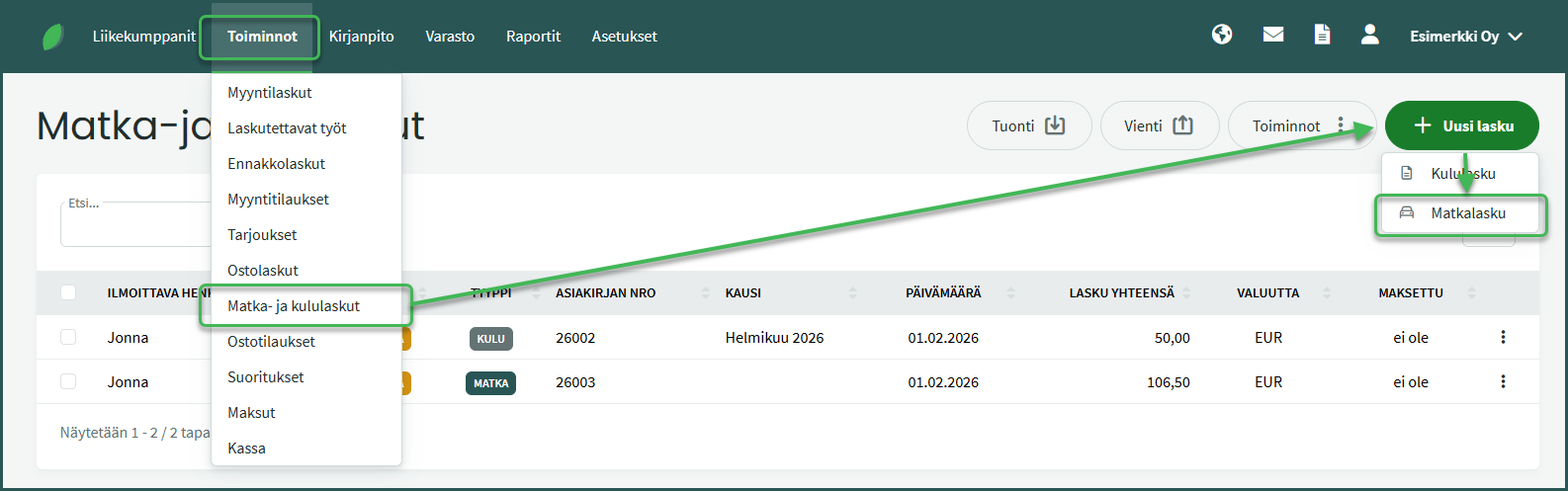
- Create a new travel expense report under Operations > Travel & Expense Reports > New Invoice > Travel Expense Report.
- Fill in the report details.
- Add the required details: mileage reimbursements, daily allowances, number of meals, and/or receipts.
- When adding receipts, the vendor’s detailed information and receipt number are not mandatory.
- Save the report.
DETAILED GUIDE
Create a new travel expense report under Operations > Travel & Expense Reports > New Invoice > Travel Expense Report
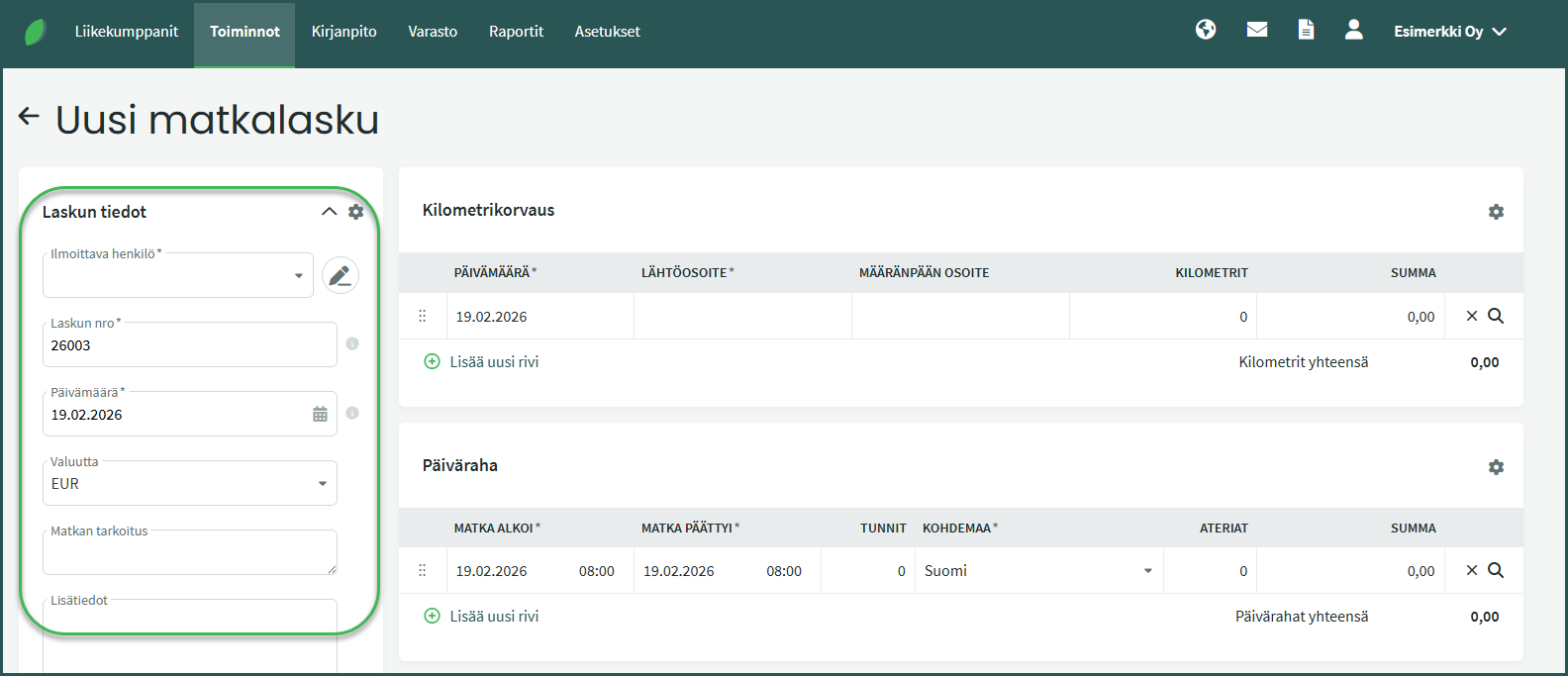
- Reporting person – The person to whom the travel expense report is paid.
- Invoice date – The date on which the travel expense report is recorded in the bookkeeping.
- Purpose of travel – According to Tax Administration guidelines, the purpose of the trip must also be recorded on the travel expense report.
- Additional information – Any additional details related to the report.
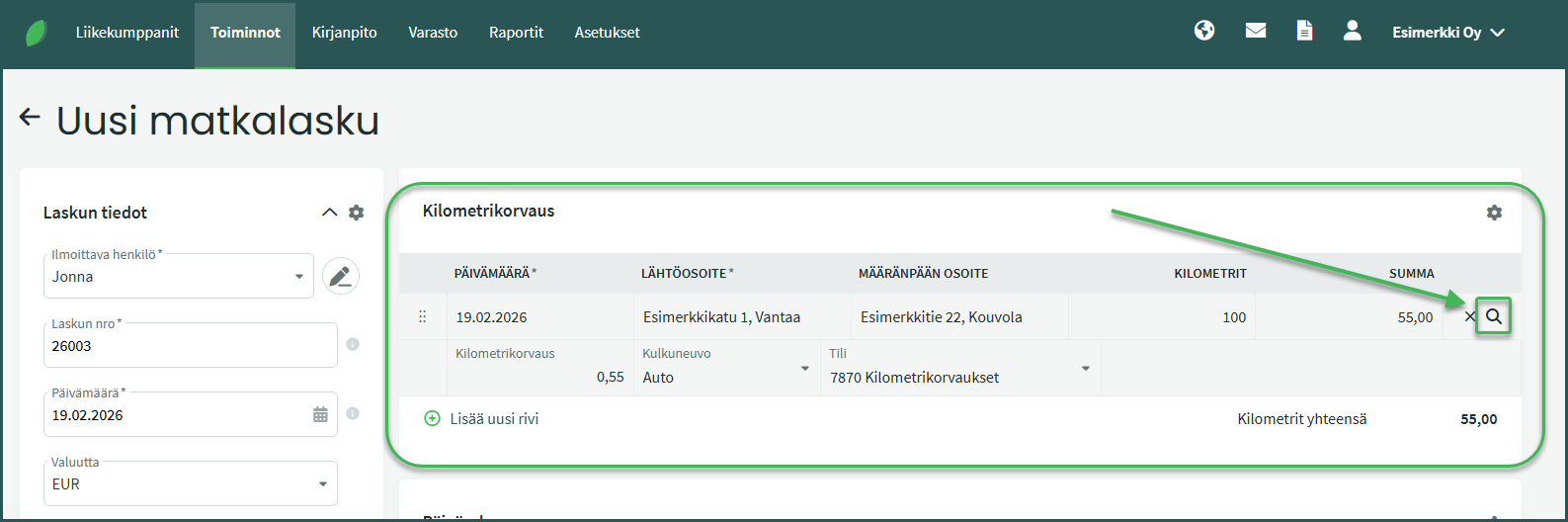
Add the date, departure address, destination address, and number of kilometres to the travel expense report.
The magnifying glass icon at the end of the row opens additional detail fields, where you can change, for example, the vehicle type and reimbursement amount if needed.
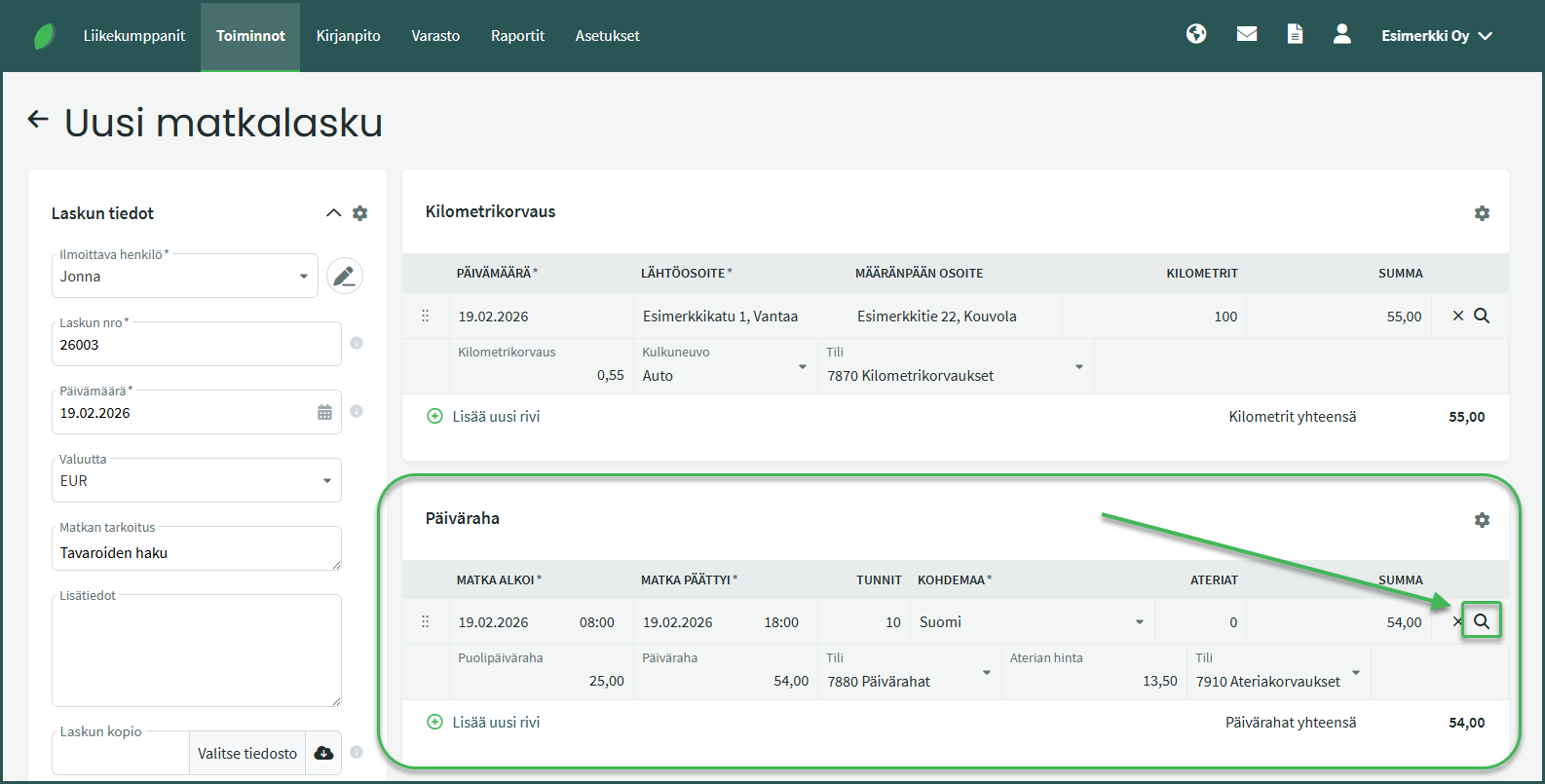
Add the trip start and end time to the travel expense report. When you enter times with a colon (e.g. 8:00), the software calculates the trip duration automatically.
If a daily allowance is not paid for the business trip, a meal allowance may still be paid. In that case, in addition to the trip start and end times, also enter the number of meals. Please note that if a meal allowance is paid for the trip, a daily allowance cannot be paid for the same trip.
The magnifying glass icon at the end of the row opens additional detail fields where you can change information if needed.
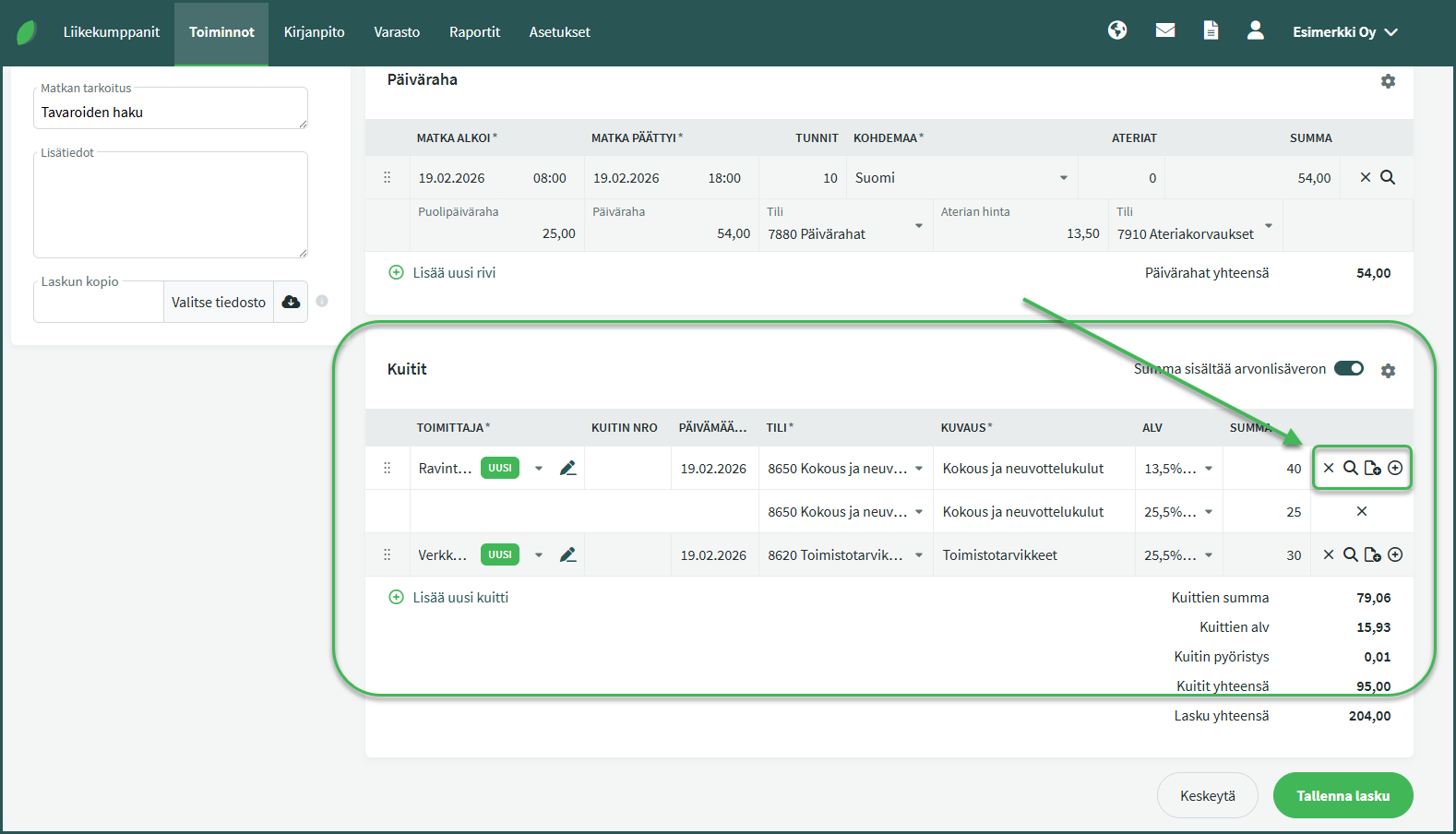
You can also add receipts for other expenses incurred during the trip to the travel expense report.
- Vendor – The vendor name on the receipt is sufficient; detailed information does not need to be filled in.
- Receipt number – Not mandatory
- Date – The date on the receipt
- Account – The accounting account for that expense.
- VAT – VAT rate.
- Amount – The amount of the expense. Above the rows you can choose whether to enter amounts inclusive or exclusive of VAT.
The icons at the end of the row let you delete the receipt, add additional lines to a receipt (for example when the same receipt has multiple VAT rates), view a breakdown of the amounts, and add attachments to the receipt line, such as a copy of the receipt.
A travel expense report can be paid from SimplBooks in the same way as purchase invoices. If you want to pay invoices directly from SimplBooks, you need to enable bank connections.
Leave A Comment?