
This guide explains how to create expense reports in SimplBooks.
What is an expense report?
An expense report is used to enter receipts for expenses that have been paid with the entrepreneur’s or employee’s own money. Receipts are entered into the programme as an expense report, and the expense report is then paid from the company’s account. The payee — the person submitting the expenses — can be anyone.
An expense report is used to enter receipts for expenses that have been paid with the entrepreneur’s or employee’s own money. Receipts are entered into the programme as an expense report, and the expense report is then paid from the company’s account. The payee — the person submitting the expenses — can be anyone.
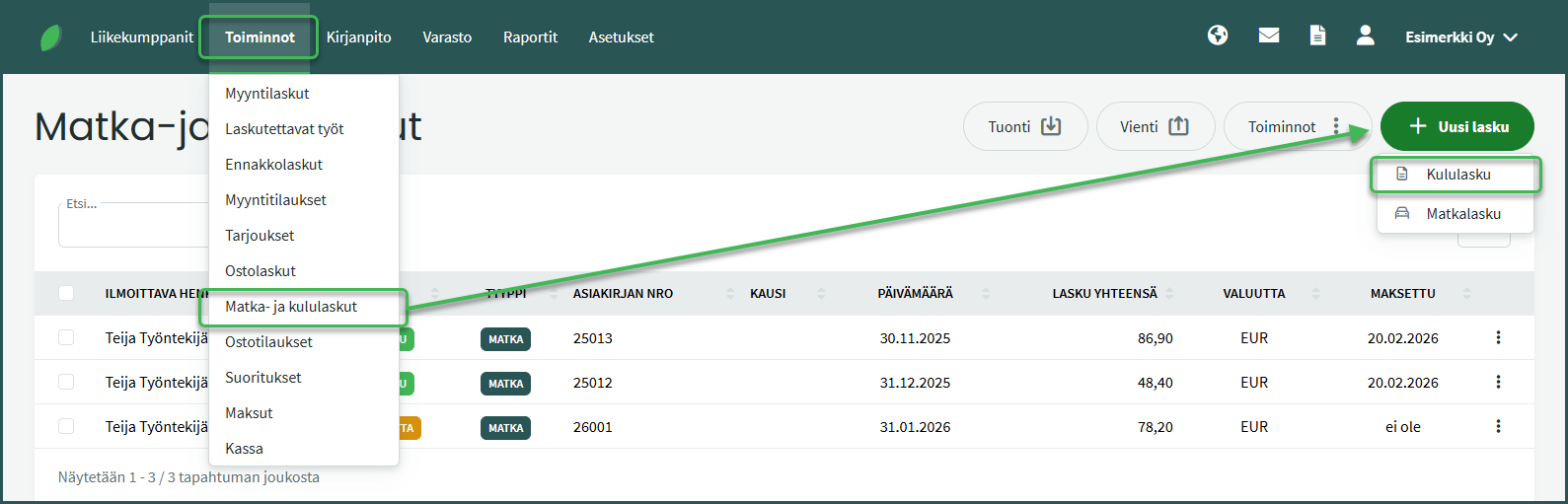
1. An expense report is created under Actions > Travel and Expense Reports > New Invoice > Expense Report.
2. Enter the invoice details
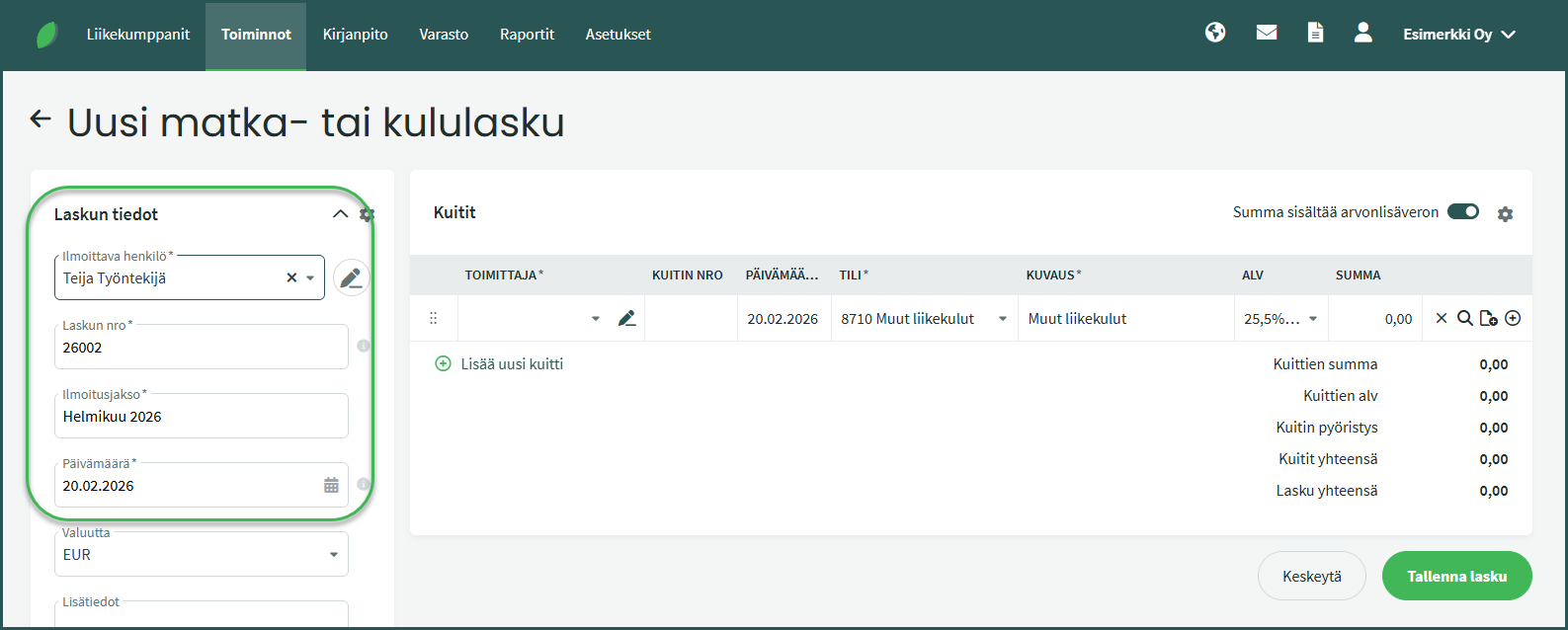
- Reporting person – The person to whom the expense report is paid.
- Reporting period – The period covered by the expense report. All of a reporting person’s expenses for the month can be added to the same expense report.
- Date – The date of the expense report.
- Additional information – Any additional details about the contents of the expense report.
3. Add receipts
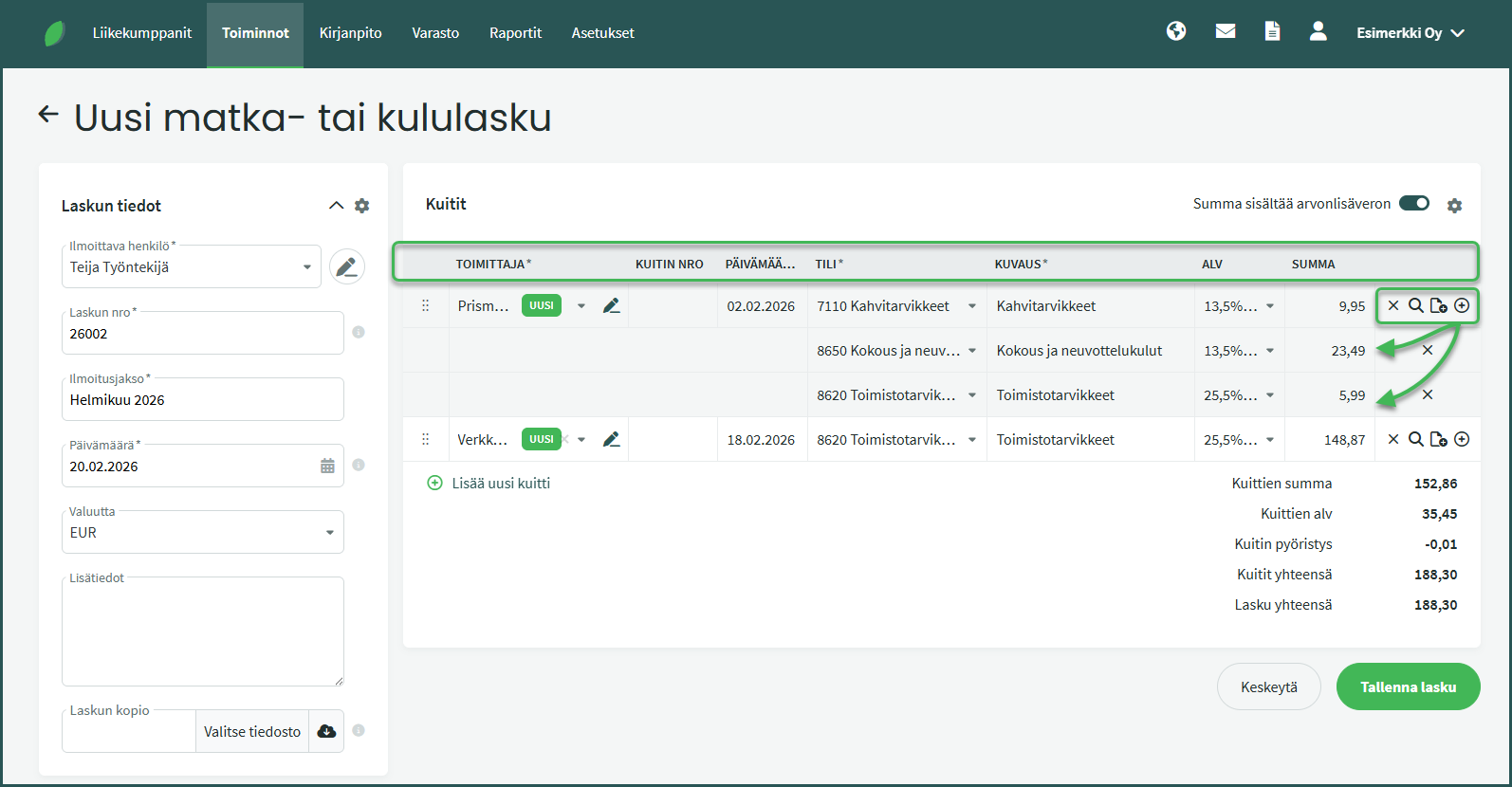
- Supplier – The place of purchase (e.g. Katrin’s Café).
- Date – The date of the expense. The expense will be recorded in the bookkeeping with this date.
- Account – Select the appropriate bookkeeping account (e.g. 7110 Coffee supplies).
- VAT – Select the VAT rate. If a single receipt contains several different VAT rates, enter each on its own row. You can add a new row by clicking the plus button at the end of the row.
- Amount – The amount for the item. You can select above the rows whether you are entering the amount inclusive or exclusive of VAT.
Using the icons at the end of the row, you can delete the receipt, add additional rows to the receipt (for example when a single receipt contains multiple VAT rates), view the breakdown of amounts, and add attachments to the receipt row, such as a copy of the receipt.
📢 Note! Reporting persons can be added while creating an expense report. Their details can later be viewed and edited under Business Partners > Customers and Suppliers.
Other related guides:
Leave A Comment?