
This guide explains how to add and modify bank accounts and cash registers in SimplBooks.
In SimplBooks, invoices are marked as paid through a bank account or cash register. Each bank account/cash register is linked to a specific accounting account. For example, if you have two bank accounts, a petty cash register, and a separate account for credit notes, you will need four separate bank accounts/cash registers in total.
1. Add a new bank account or cash register under Settings > Bank Accounts and Cash Registers > “New bank account/cash register”
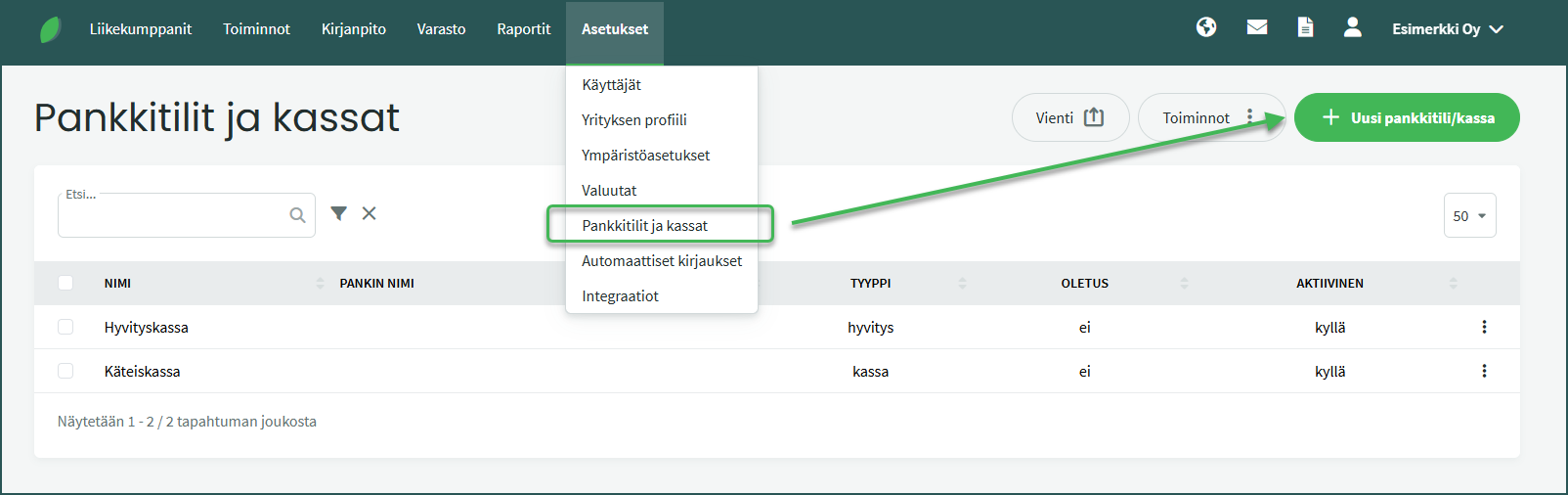
2. Enter the required details
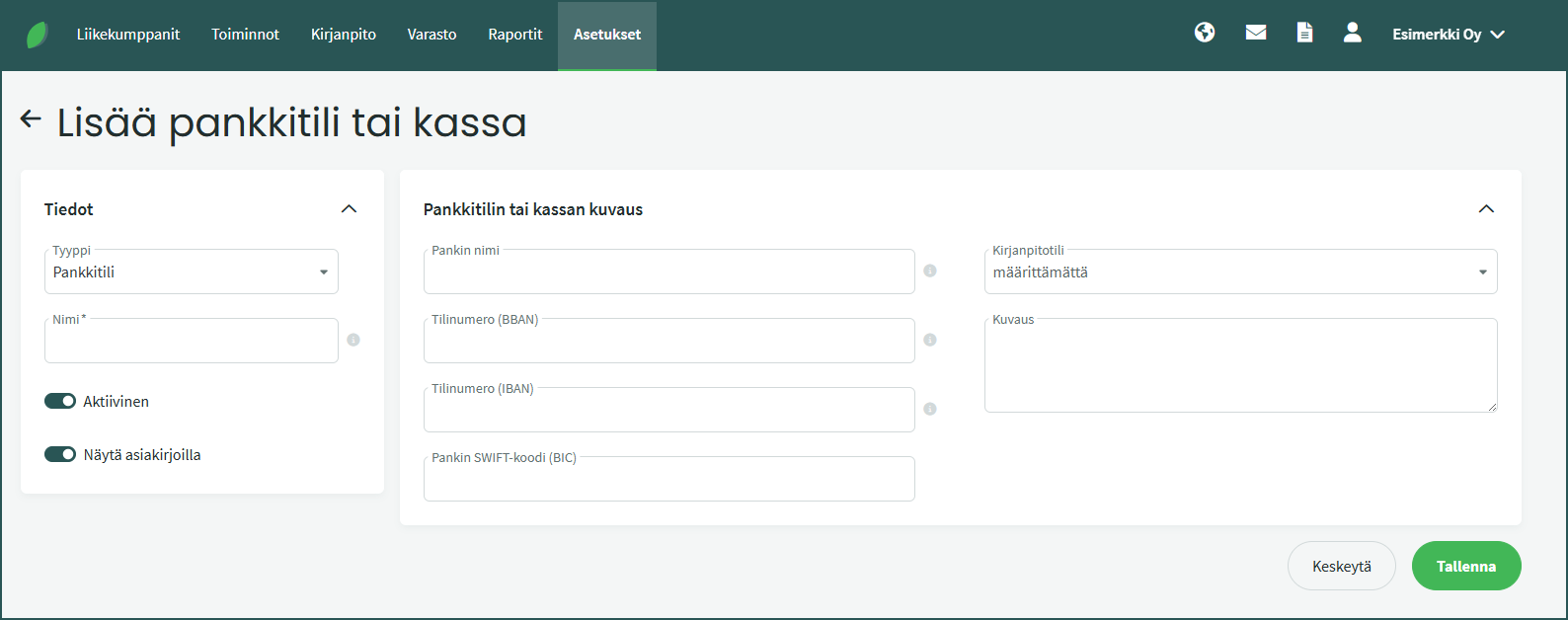
Type
Bank accounts are always added as bank accounts, and petty cash registers are always added as cash registers. A credit account allows credit notes to be matched against original invoices by recording both as paid through the credit account.
Bank name
Choose a suitable name for the account. The bank account name is displayed on sales invoices.
IBAN number
Enter the IBAN number if you use this account on sales invoices and want an automatic barcode to appear on invoices.
Accounting account
Select an account number in the range 1900–1999 for the bank account or cash register. If the desired accounting account is not available in the default chart of accounts, you can create a new account under Accounting > Accounts > “New account”. Read the detailed guide for adding an account here.
Description
You can optionally add additional information about the account.
3. You can edit existing bank accounts and cash registers under Settings > Bank Accounts and Cash Registers
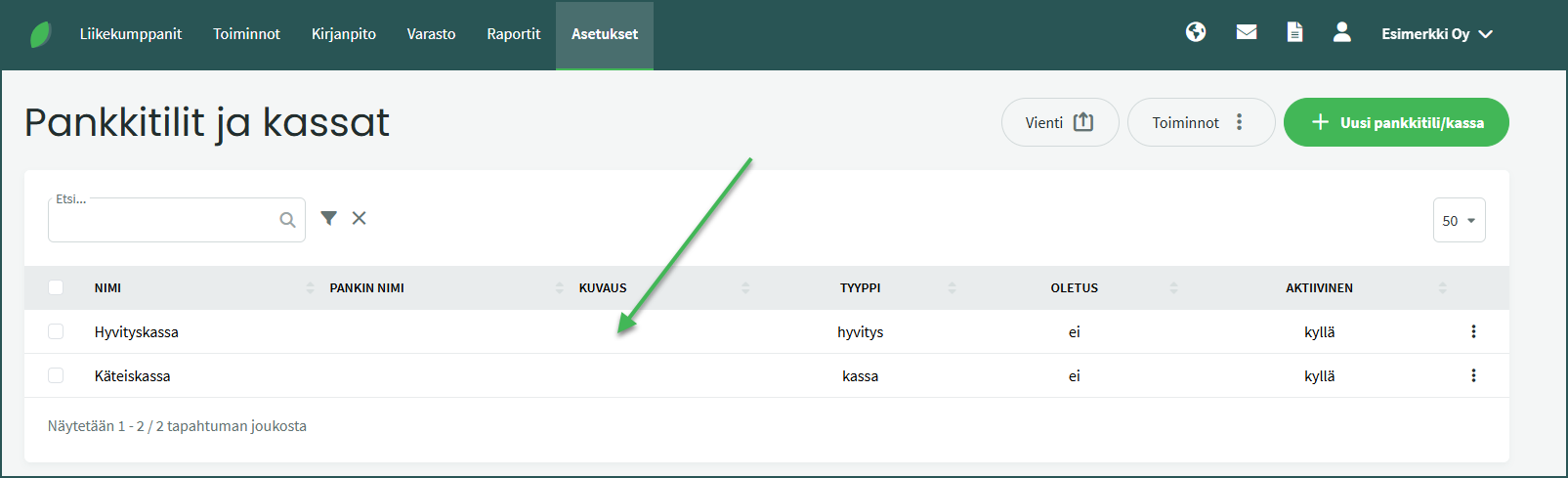
Select the desired bank account/cash register by clicking the corresponding row.
4. You can edit a bank account/cash register under Actions > Edit bank account/cash register
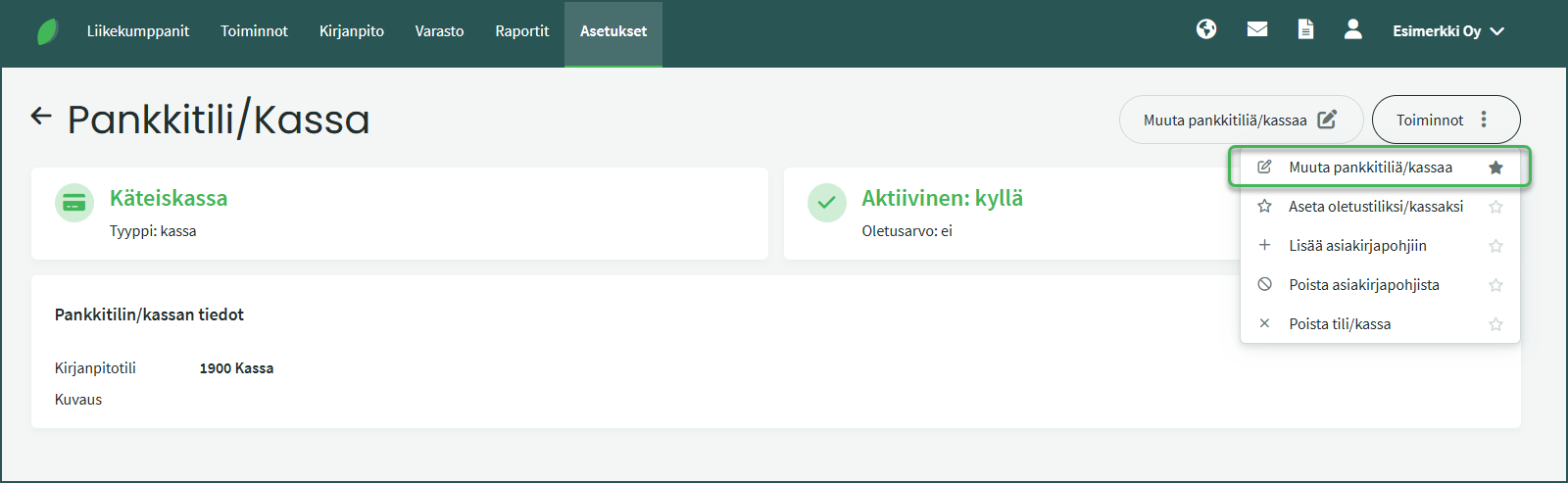
You can set the account as the default account, edit its details, add it to documents, remove it from documents, or delete the account entirely. The default account means that the program will suggest this account first when recording invoices as paid.
Leave A Comment?