
This guide explains how to add cost centres in SimplBooks.
Cost centre accounting, also known as project accounting, allows you to track the income and expenses of a specific cost centre. It enables you to compare different projects with one another, for example.
When should you use cost centres?
Cost centres are useful when you want to monitor the finances of different parts of your business separately. They are particularly helpful for companies with multiple lines of business or trade names whose operations you want to examine independently. Cost centres are also well suited to project-based work, such as the construction industry, where you want to track the income and expenses of individual projects.
How are cost centres organised in SimplBooks?
In SimplBooks you can create cost centres at two levels: as main cost centres and as sub-cost centres.
Want to learn more?
Read more on our blog: Cost centres explained in plain language
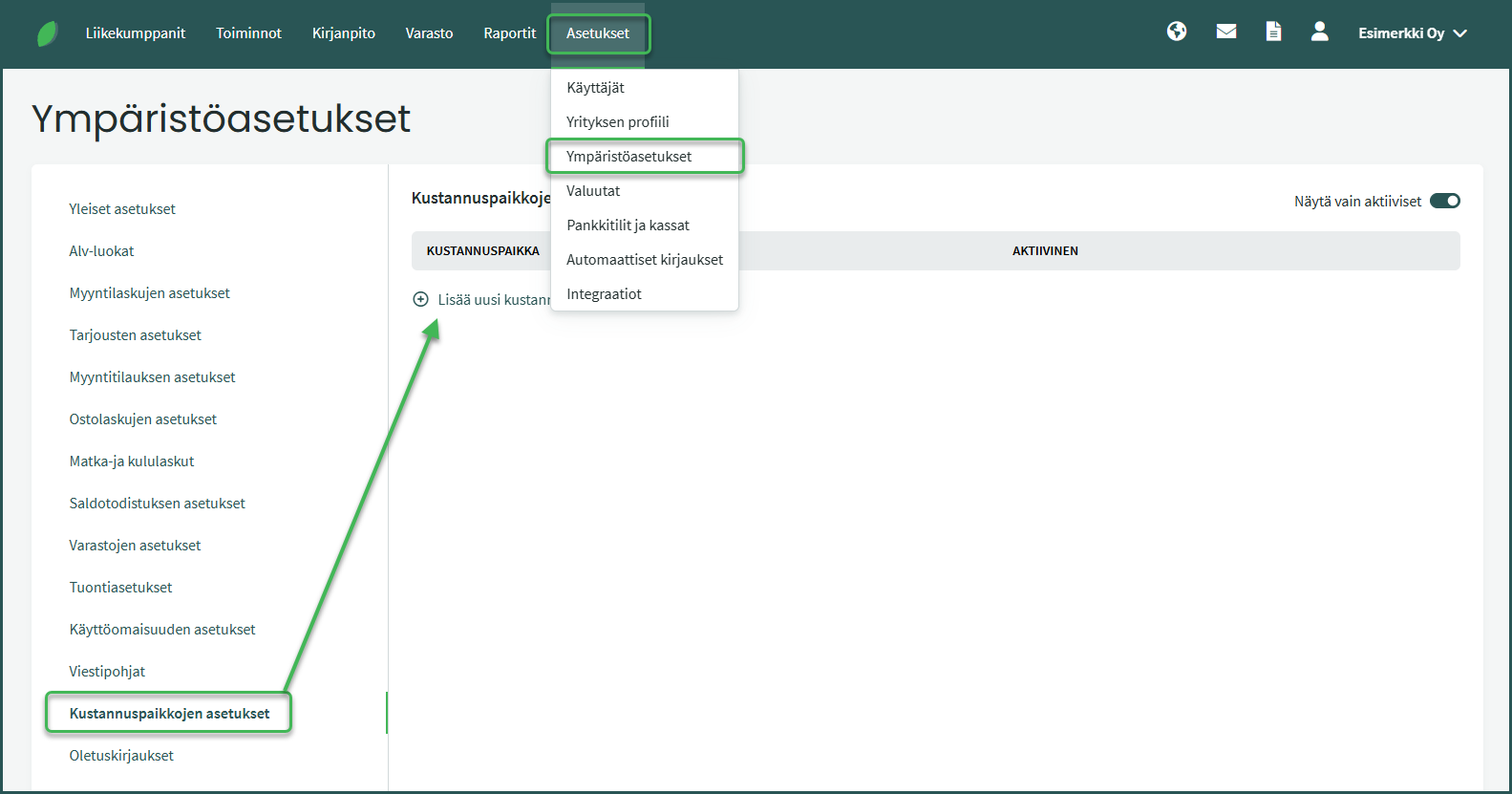
1. Cost centres are added under Settings > Environment Settings > Cost Centre Settings > Add new cost centre.
2. Add a code and a name for the cost centre.
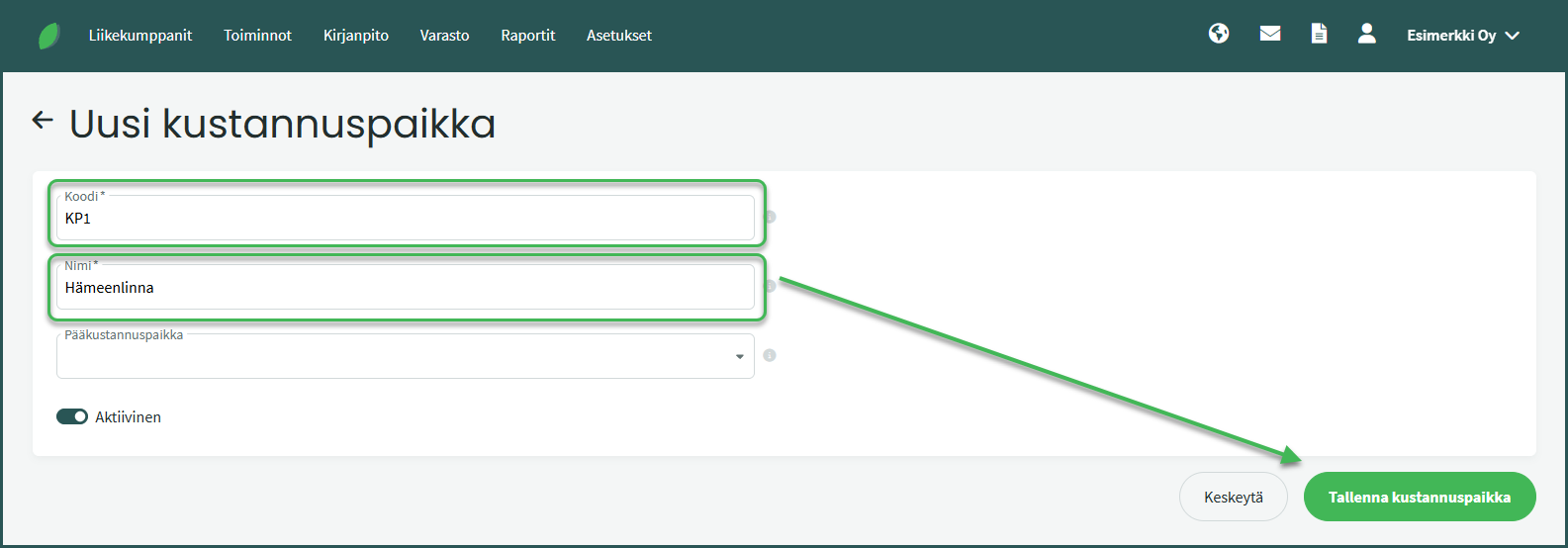
The code may contain numbers and letters.
3. Adding a sub-cost centre
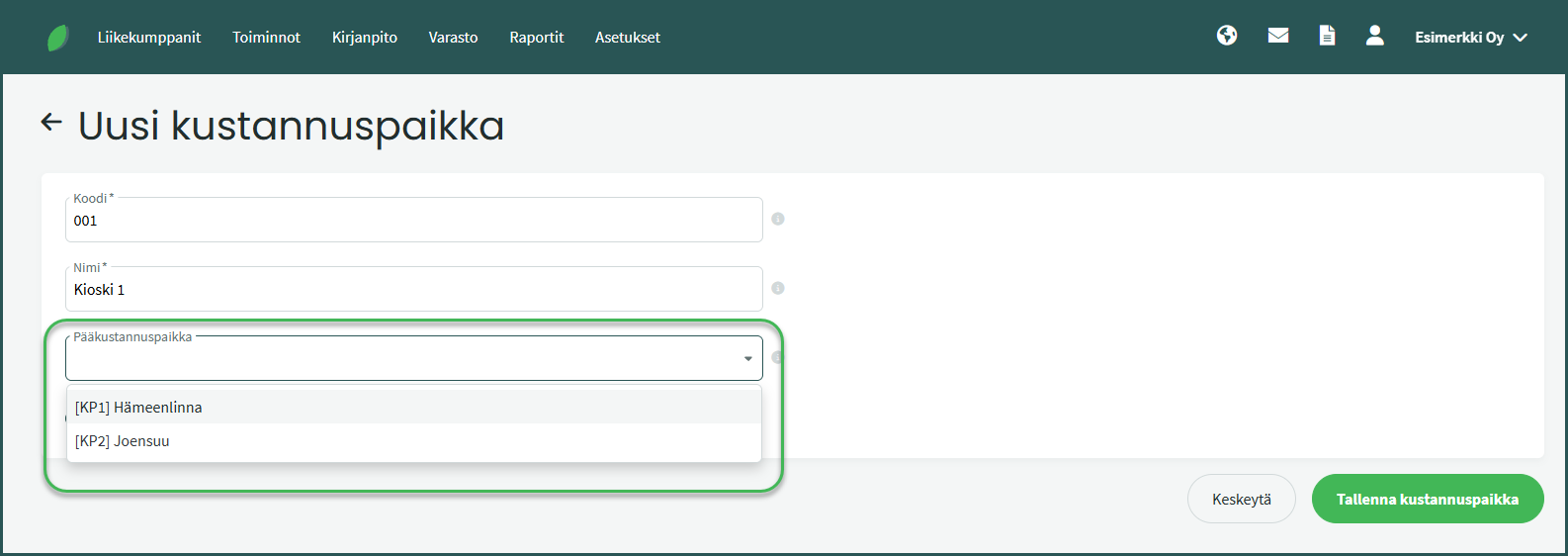
You can add a sub-cost centre after you have created a main cost centre.
A sub-cost centre is created in the same way as a main cost centre. In addition, select which main cost centre the sub-cost centre should belong to. Once all the details have been filled in, save the cost centre.
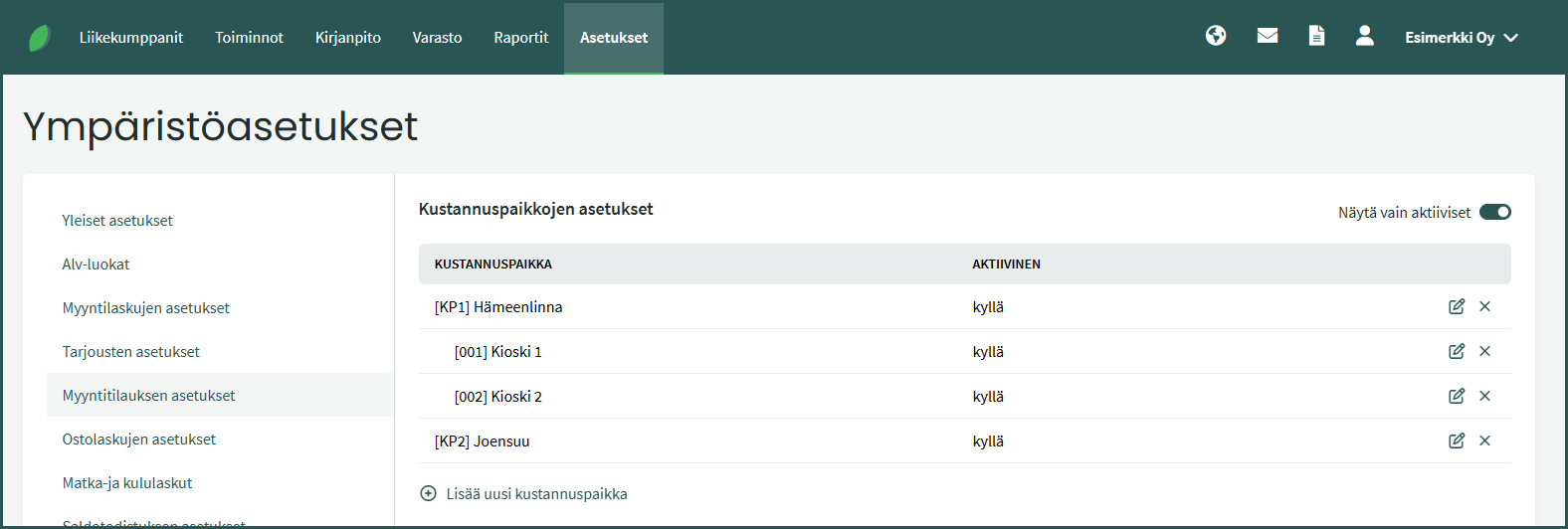
4. Cost centres are displayed in the list organised by main cost centre and sub-cost centre.
Leave A Comment?