
This guide explains how to record production runs and production bill of materials (recipes) in SimplBooks inventory management.
In the Production section, you can assemble sellable products from raw materials or create finished product bundles for inventory. When you use production, the program automatically makes the inventory entries — raw materials used in production are deducted from inventory balances, and finished products are added to inventory.
How can production be used?
Production in SimplBooks can be used in two ways. You can add raw materials to a production run one by one, or create reusable bill of materials (recipes). Bill of materials speed up your workflow, especially when you repeatedly manufacture the same products from the same raw materials.
Is it mandatory to use the Production section?
Using the Production section is not mandatory. You can also sell products directly from inventory. In that case, finished products are added to inventory separately, and changes to raw material stock can be recorded, for example, during a stocktake.
Before you can create bill of materials or production runs, the necessary products (i.e. raw materials) must exist in the program. Instructions for adding a product can be found here.
Once products have been added to the program, there must also be a sufficient quantity of them in stock before they can be used in production.
In addition to opening stock, you can add products to inventory via a purchase invoice. Or, if you already had stock before starting to use SimplBooks, you can add an opening stock entry.
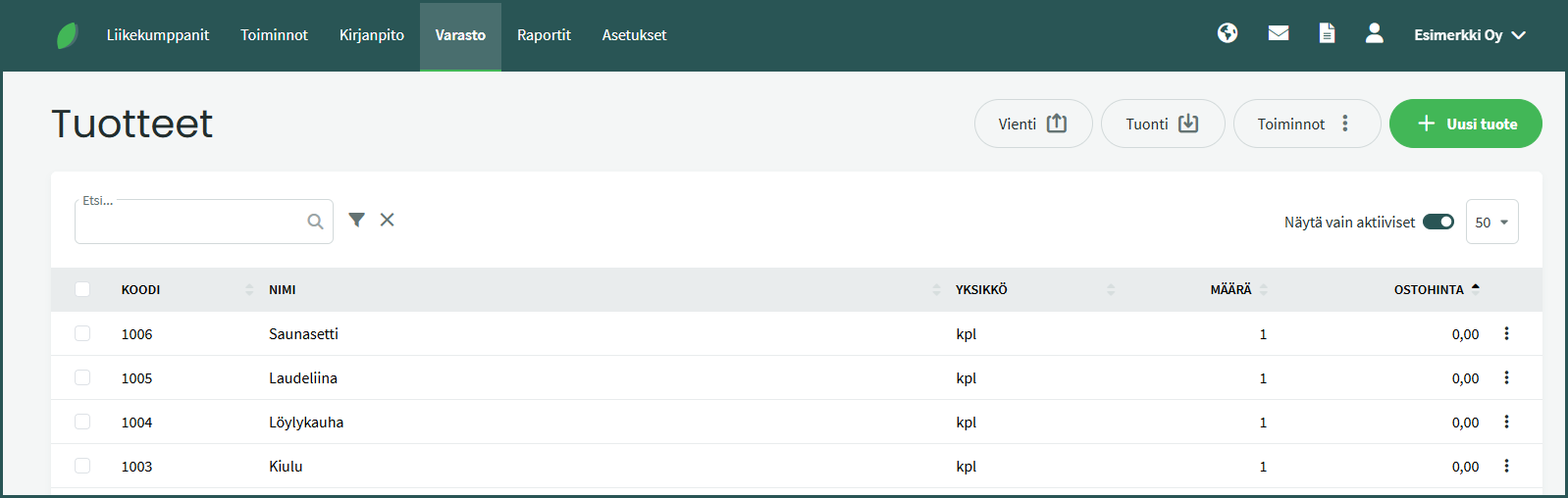
After creating the products, the inventory product list would look like this:
Bill of materials are best used when you regularly manufacture and sell the same products from the same raw materials. This way you do not need to select raw materials individually each time — you can simply use a saved bill of materials.
1. Once the required products have been added to the program, you can create a new bill of materials under Inventory > Bill of Materials > New Bill of Materials.
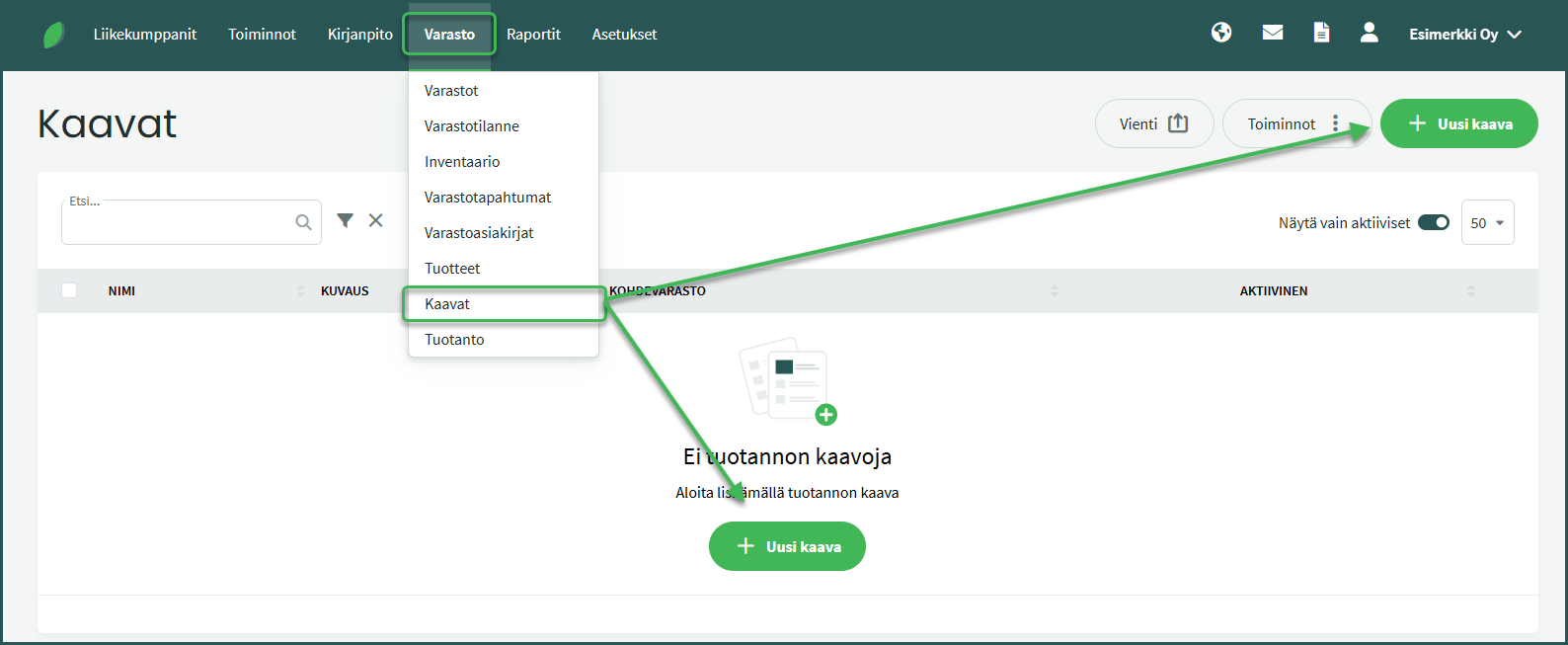
2. Fill in the required details
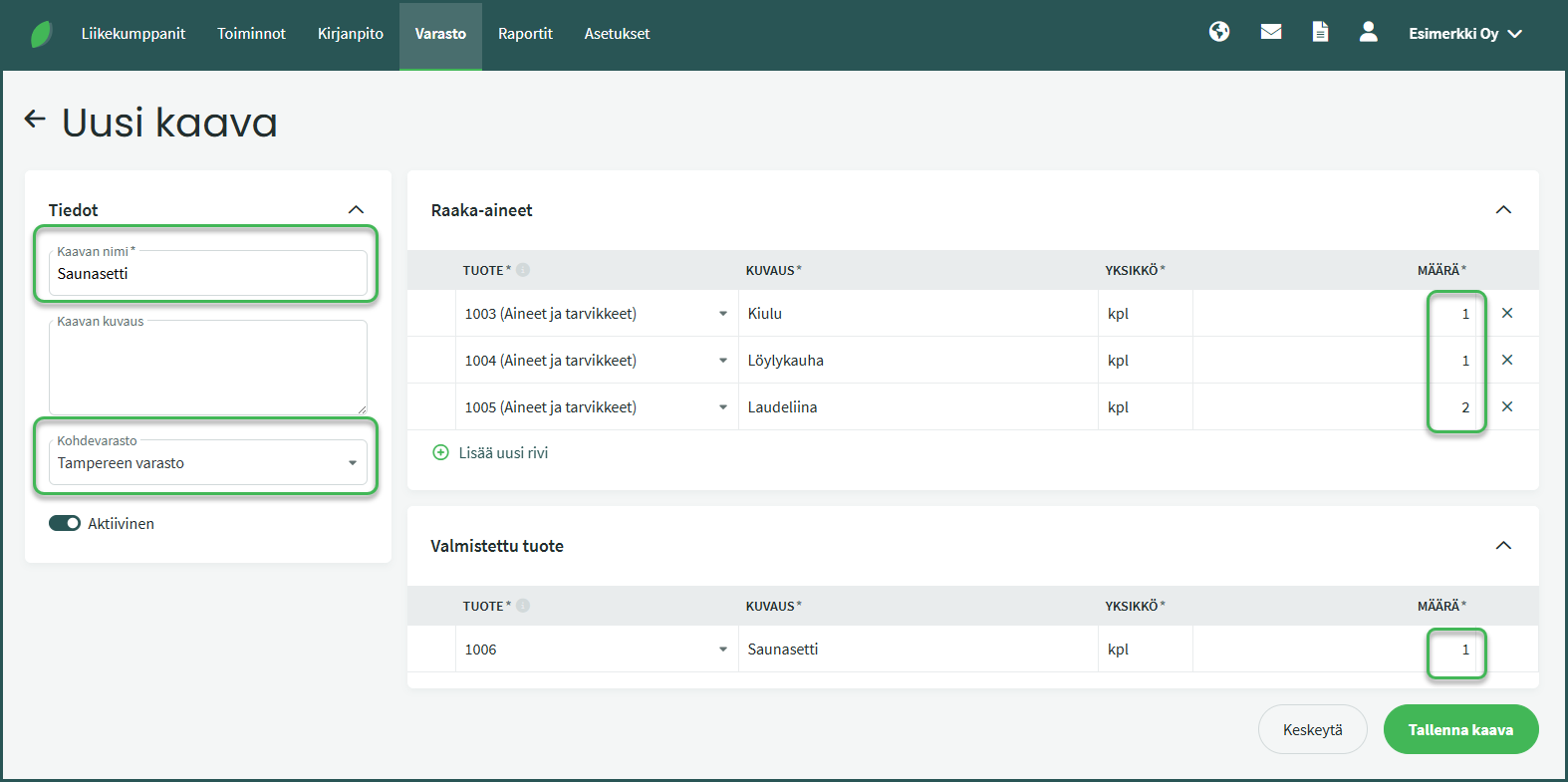
- Add a name for the bill of materials and the target warehouse where the finished product will be recorded.
- Select the raw materials to be used in production and specify their quantities.
- Save the bill of materials — it will then be ready to use in production.
Before adding production runs to the program, make sure the following are in place:
- Raw materials have been added to the program as products and have a stock balance.
- The finished product has been created in the program’s product list.
- If you are using bill of materials, the bill of materials has also been saved to the program.
1. Production is recorded under Inventory > Production > New Production.
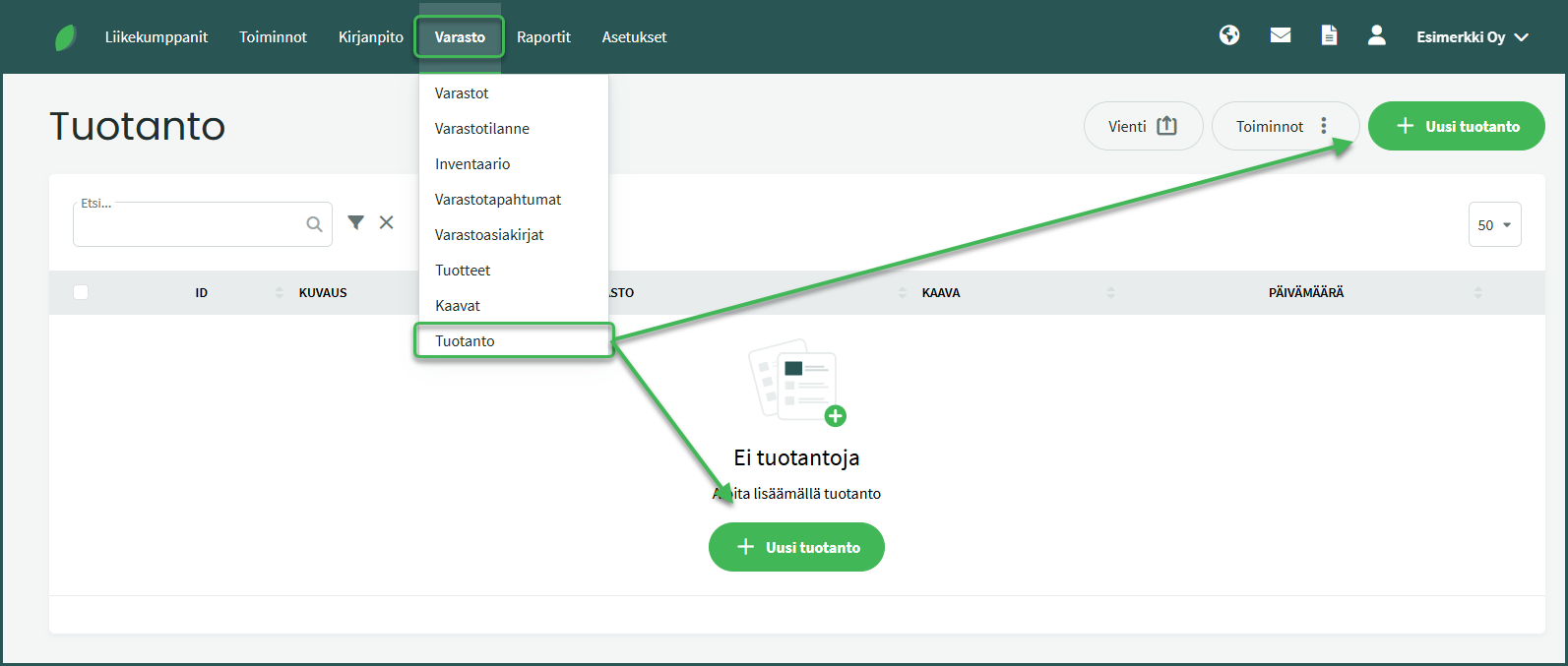
2. If you are using a saved bill of materials, select it from the “Bill of Materials” field and set the production date.
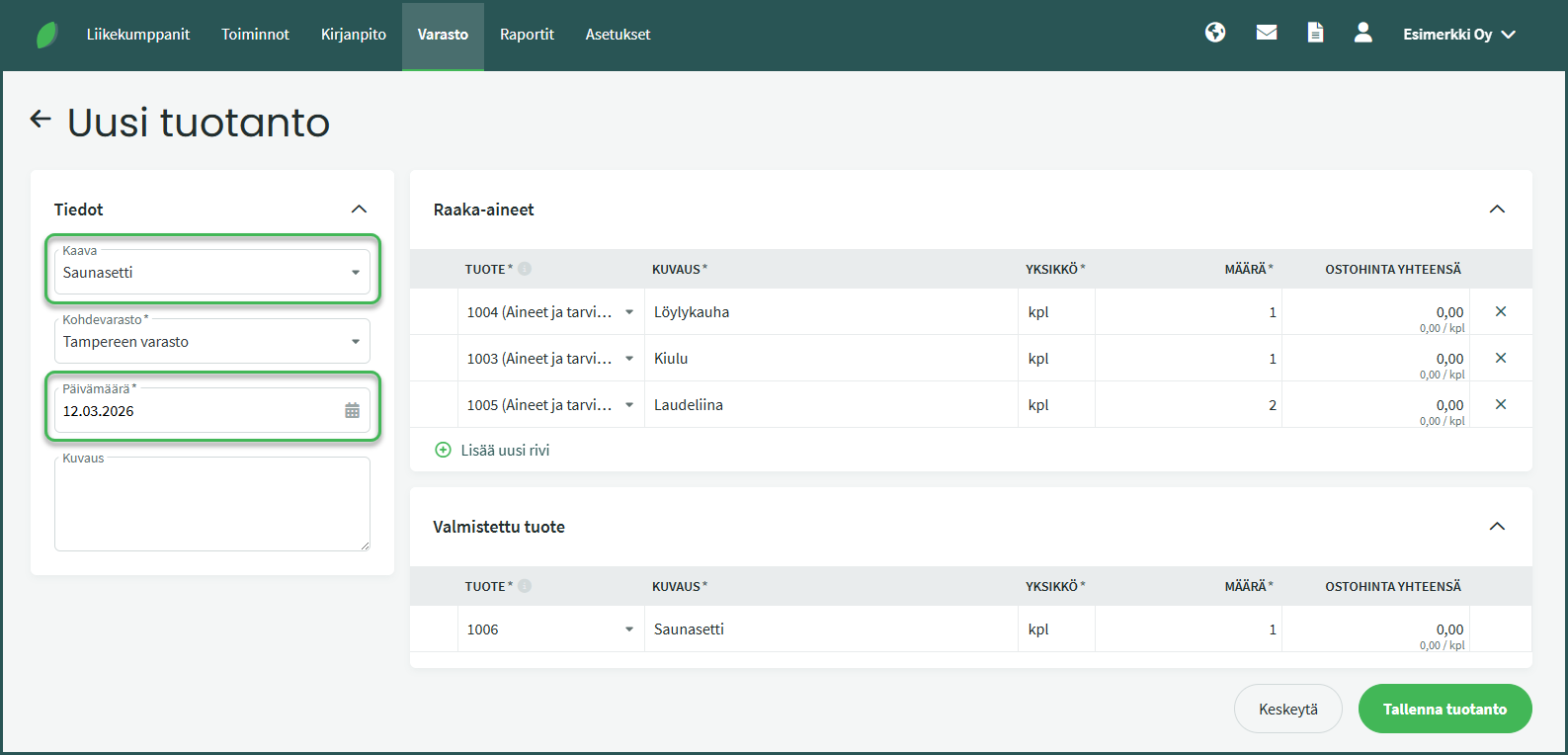
3. If you are not using a saved bill of materials, fill in the details manually.
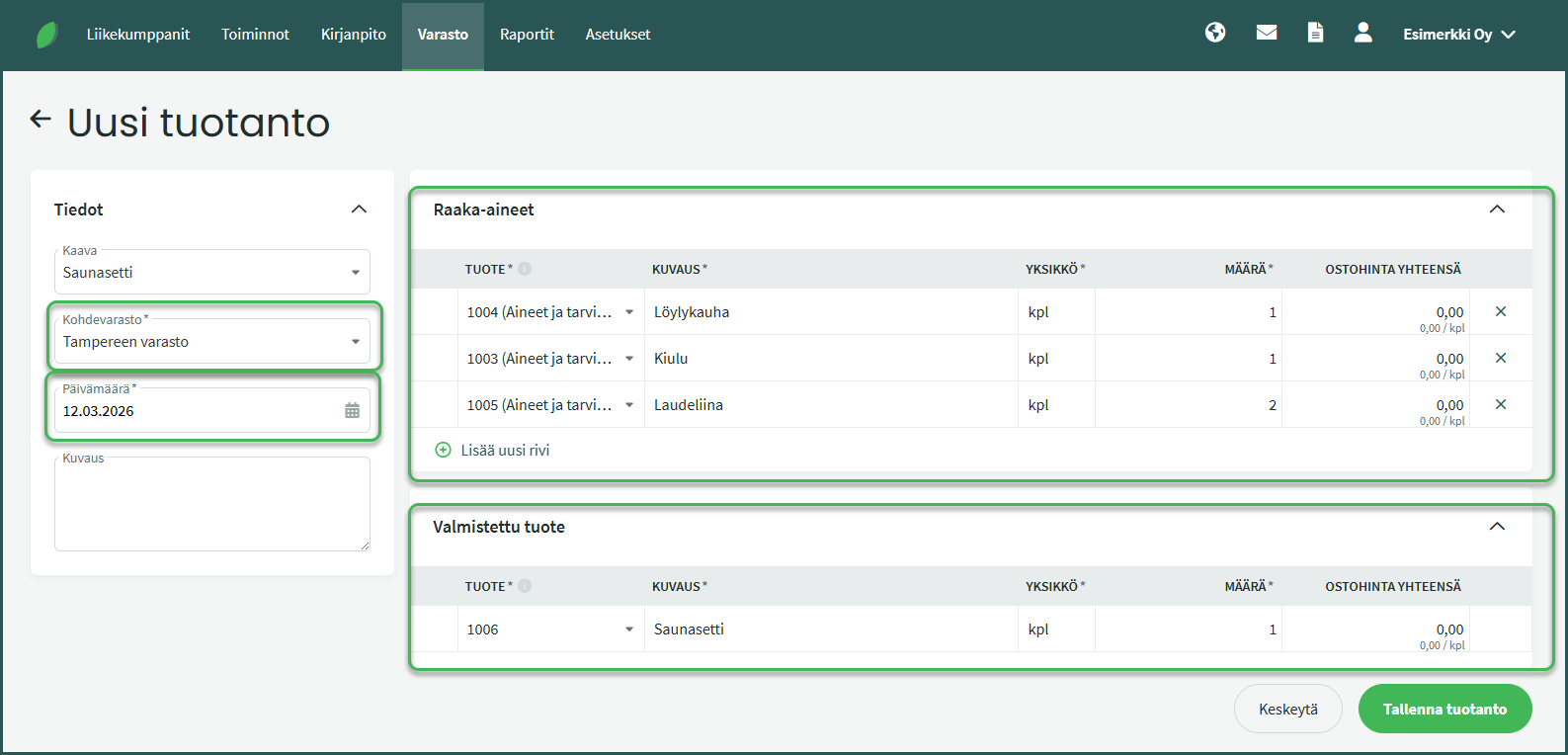
- Target warehouse – Finished products will be recorded here.
- Date – Set the production date, which determines when the inventory entries are made.
- Raw materials – Add the raw materials used in production as line items with their quantities. You can search for a product by part of its name or code.
- Finished product – Add the finished product and the quantity produced. You can search for a product by part of its name or code.
Once the details have been entered and verified, save the production run.
When saved, the raw materials used are automatically deducted from inventory balances, and the products produced are recorded as an addition to the specified warehouse.
We recommend configuring the sales invoice settings so that today’s date is used when creating a new invoice. This setting can be found under Settings > Environment Settings > Sales Invoice Settings > Default Sales Invoice Date.
Leave A Comment?