
This guide explains how to add your billing information.
What is a billing profile?
The billing profile determines who SimplBooks service invoices are sent to. When you create a SimplBooks environment, an empty billing profile is automatically created for you, and you need to add your own billing details to it. SimplBooks will not send invoices until the billing profile has been completed.
Why do I need it?
The billing profile is required if you want to continue using SimplBooks after the free trial period. If the profile is not completed during the trial, the environment will be closed when the trial ends. If you do not intend to continue using SimplBooks, please let our customer service know so we can fully remove your environment.
I forgot to fill in the details — what now?
No worries. Your accounting data will not be lost even if you forget to complete the billing profile. We will remind you repeatedly during the trial period to fill in the details, and you can also add billing information after the environment has been closed. Once the details have been added, the environment will be reopened and the first invoice will be sent.
Completing the billing profile
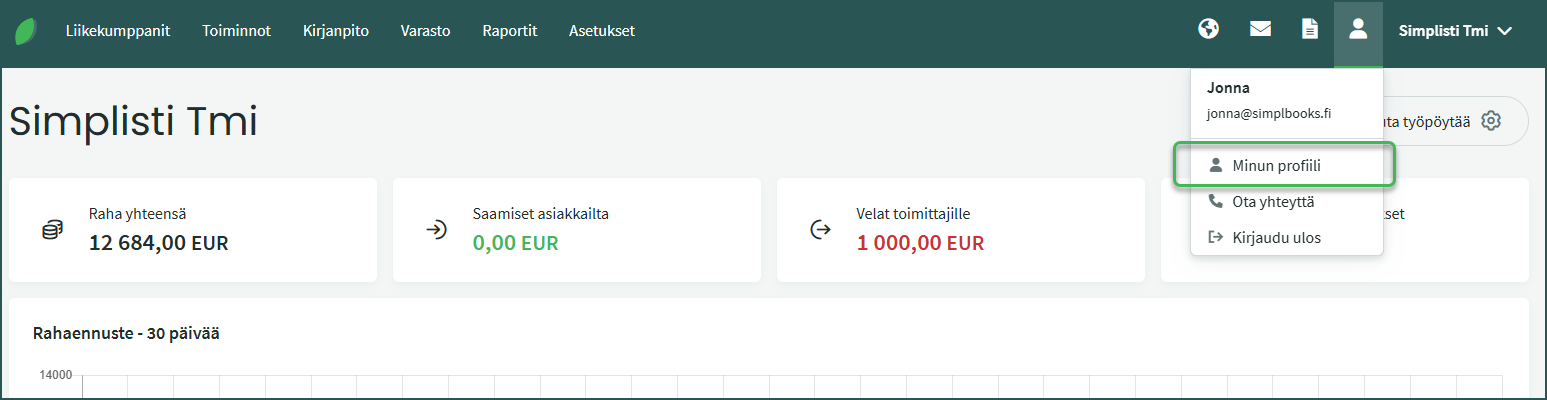
1. After logging in, select My Profile in the top right corner.
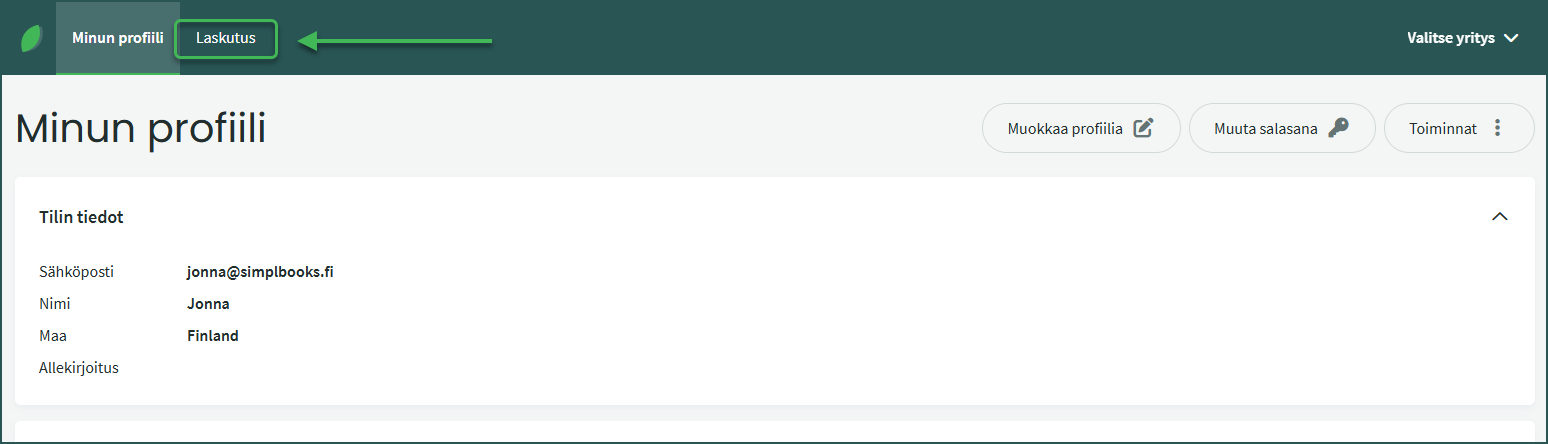
2. Select the Billing tab on the left
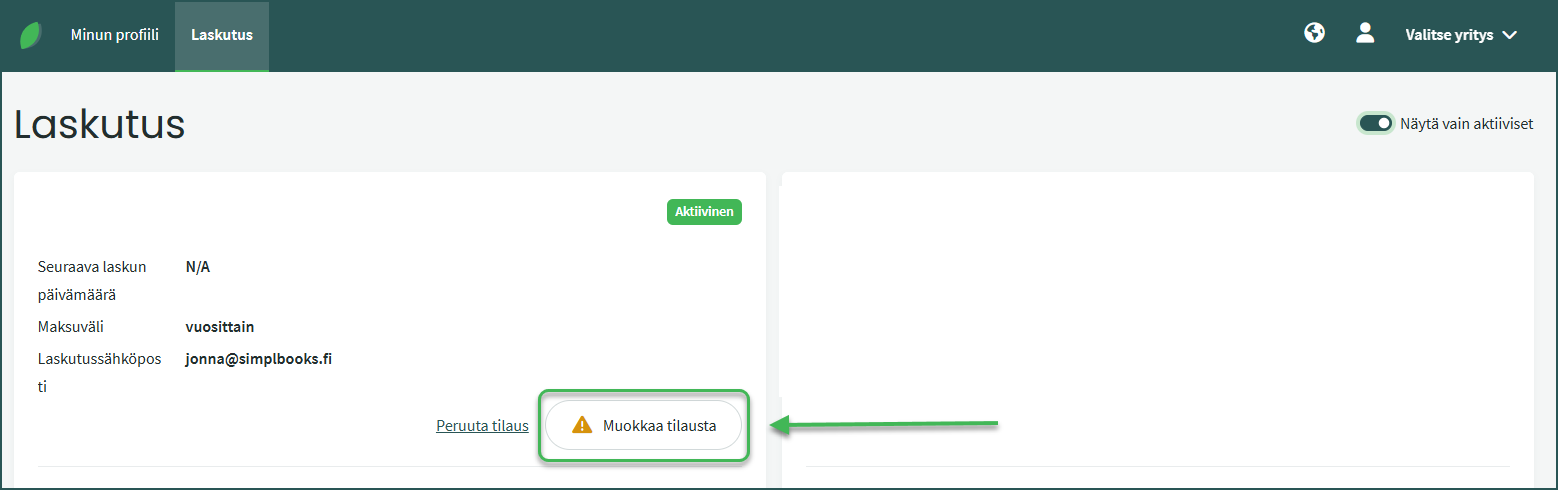
3. Select Edit Subscription
Add the required details, such as:
- Name
- Business ID (if the invoice is for a company)
- Address details
- Billing email
If you have any questions, please don’t hesitate to contact our customer service.
Leave A Comment?