
This guide explains how to allocate a payment to a purchase invoice.
How do I add a payment to the software?
A payment can be added either during a bank statement import (guide) or by marking a purchase invoice as paid (guide).
Do I need to select a vendor for the payment?
If you save a bank transaction as a payment, you must always select a vendor for it.
Why is the payment in Pending status?
A payment is in Pending status when it has not yet been linked to a purchase invoice.
How do I allocate a payment to a purchase invoice?
A payment can be allocated to a purchase invoice in two ways. You can open the purchase invoice and mark it as paid, or you can open the payment and link it to the purchase invoice.
Is the Payments feature mandatory to use?
Using the Payments feature is not mandatory. However, if you want to use it, you must also use purchase invoices. If you prefer not to use purchase invoices and payments, you can record transactions directly using accounting journal entries.
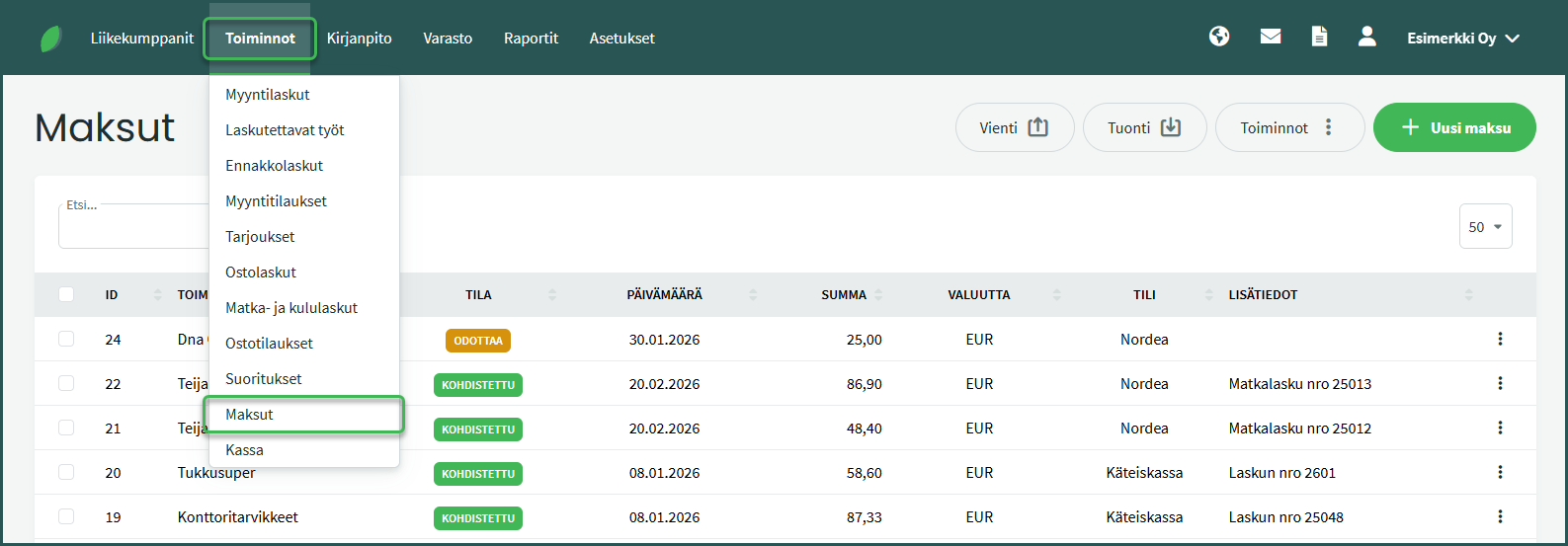
1. Payments are managed under Operations > Payments.
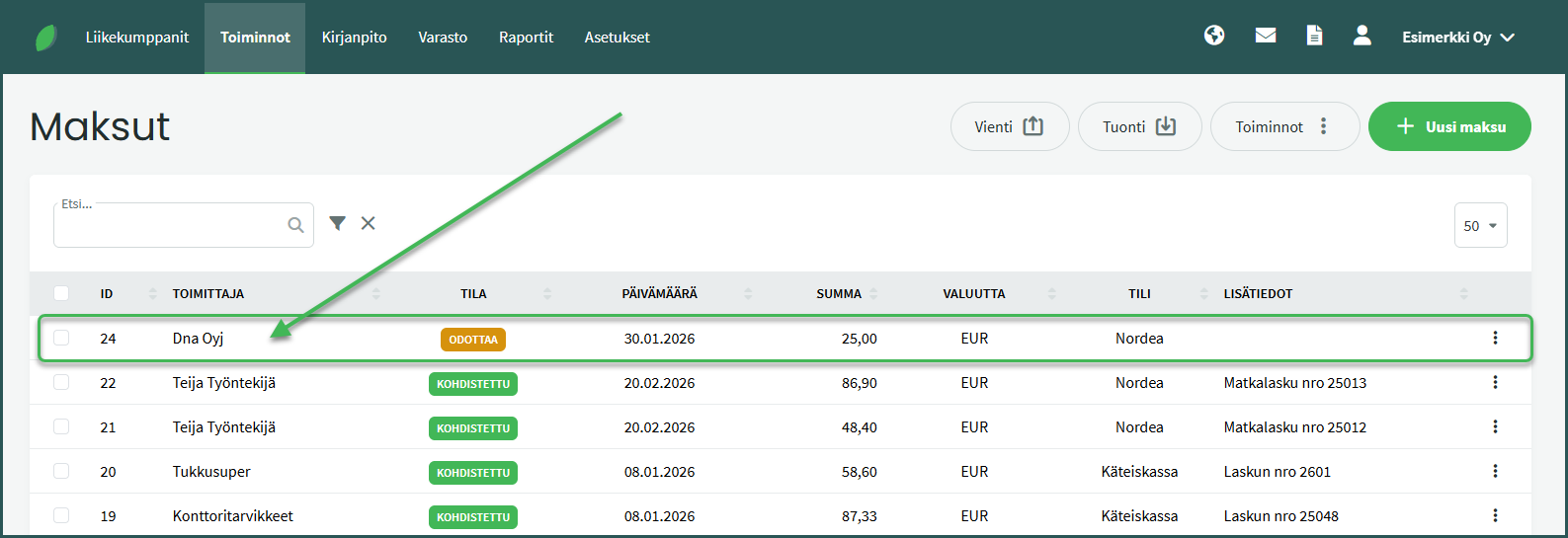
2. Select the payment you want to link to a purchase invoice.
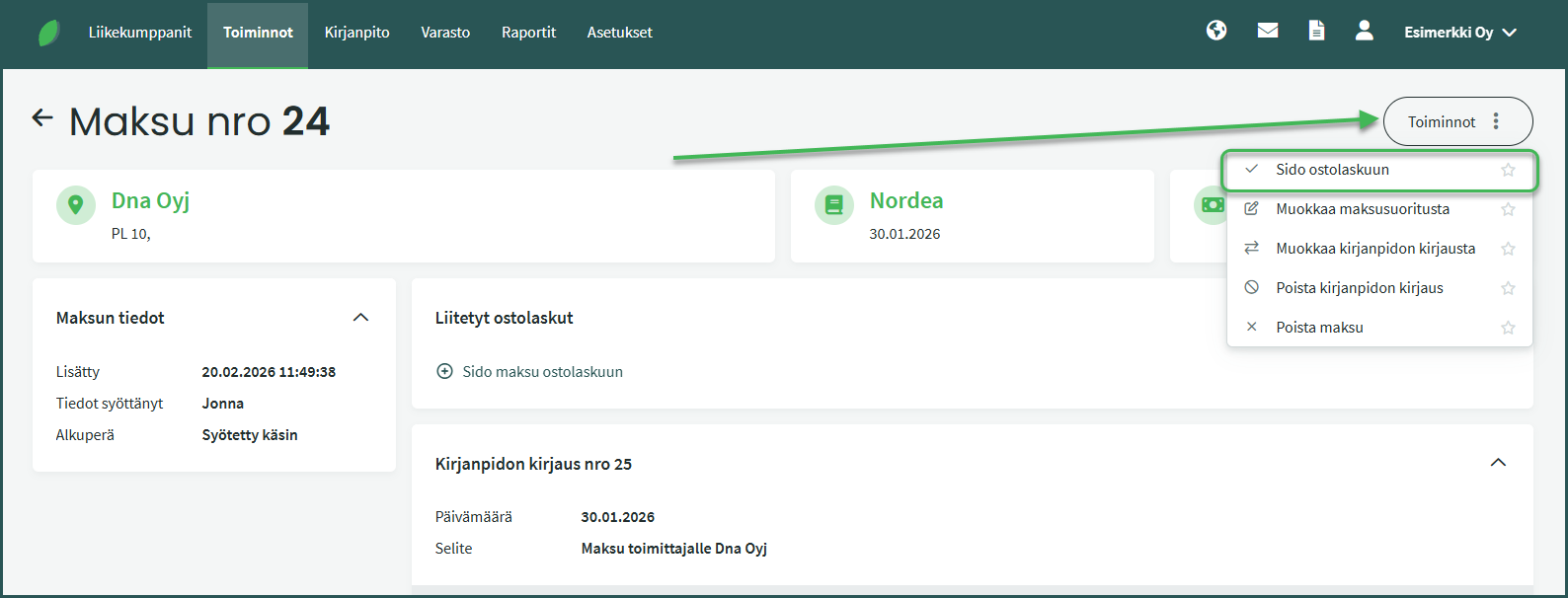
3. From the Actions menu on the right side, select “Link to purchase invoice”.
4. Select the invoice to match to the payment and click “Allocate payment to purchase invoices”.
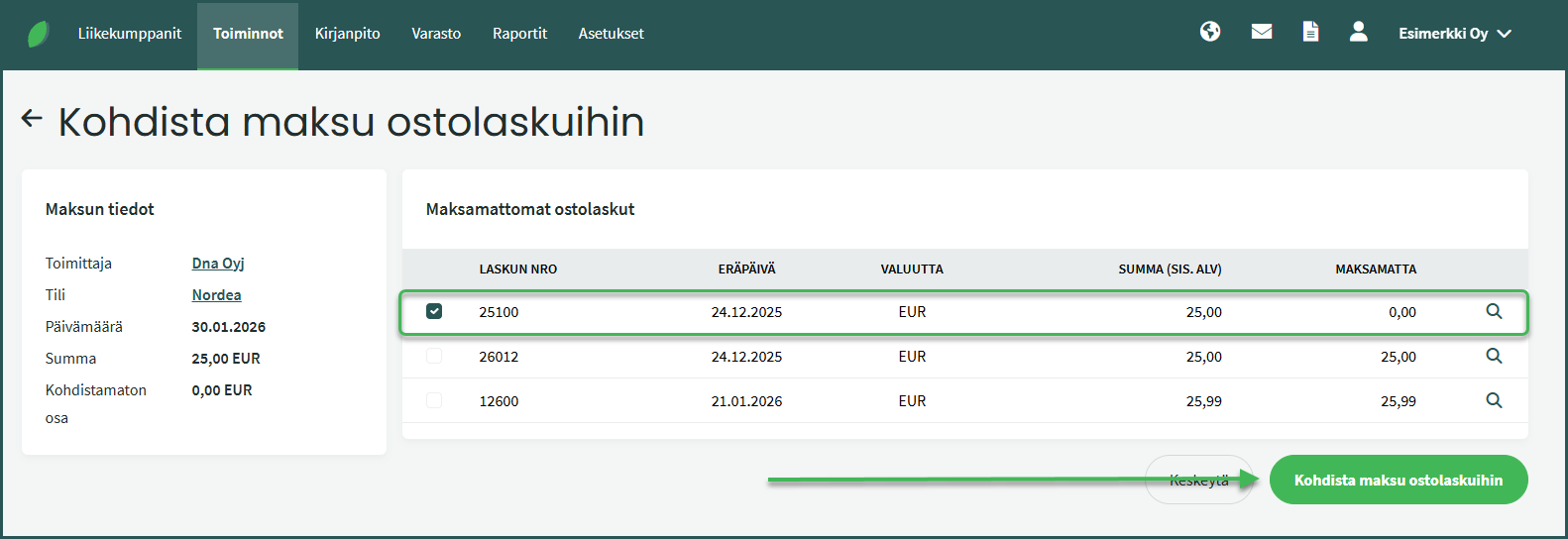
Under “Unpaid purchase invoices“, the software suggests all open invoices for that vendor.
Leave A Comment?