
This guide explains how you can optionally adjust VAT settings if needed.
1. You can modify and add VAT classes under Settings > Environment settings > VAT classes.
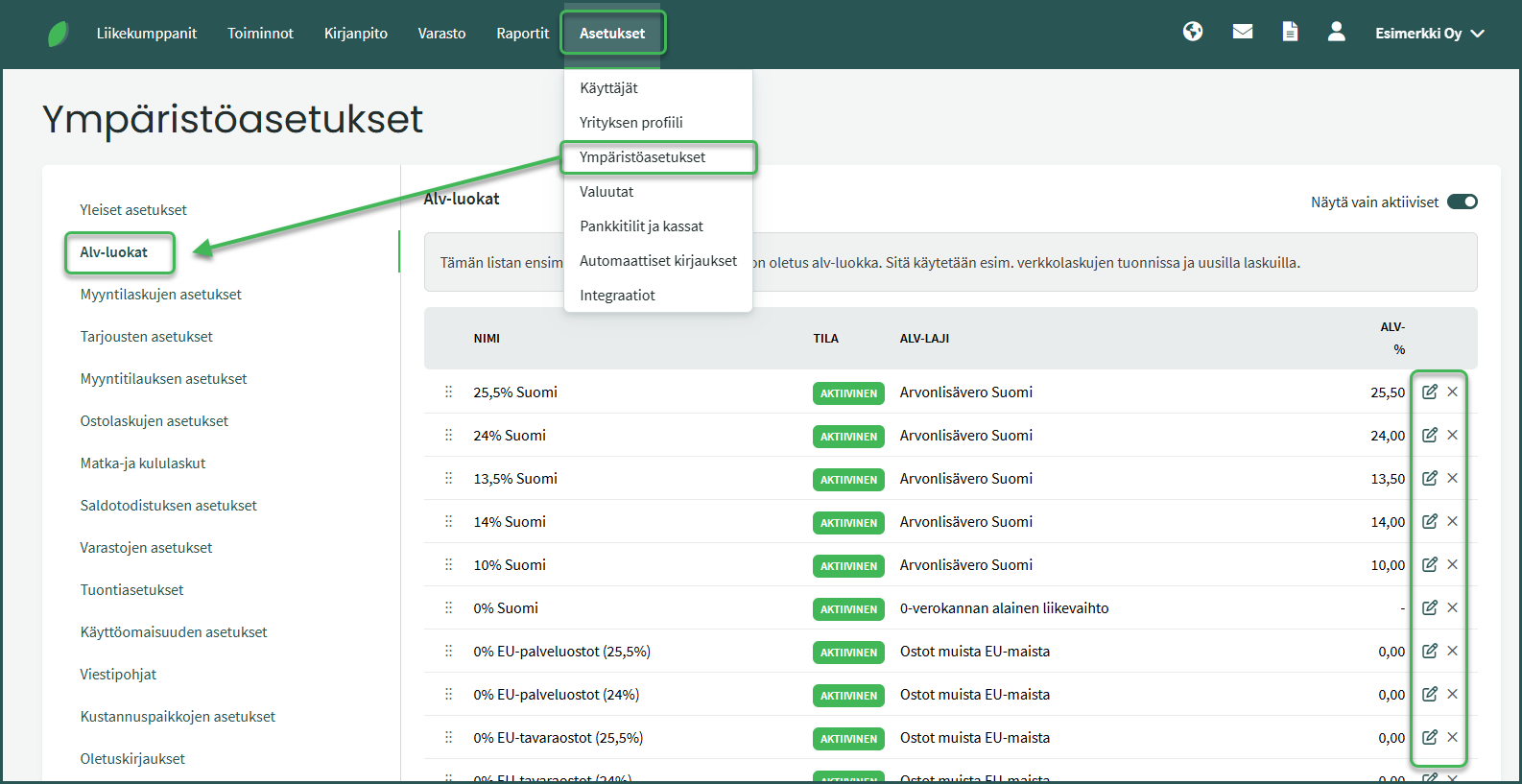
VAT classes are used on invoices and financial transactions. Based on the selected VAT class, the system calculates VAT and automatically transfers the information to the VAT return.
The program also includes predefined VAT rates for purposes such as international trade.
VAT classes can be edited using the icon at the end of each row. By editing a VAT category, you can, for example, change the sales revenue accounts linked to it.
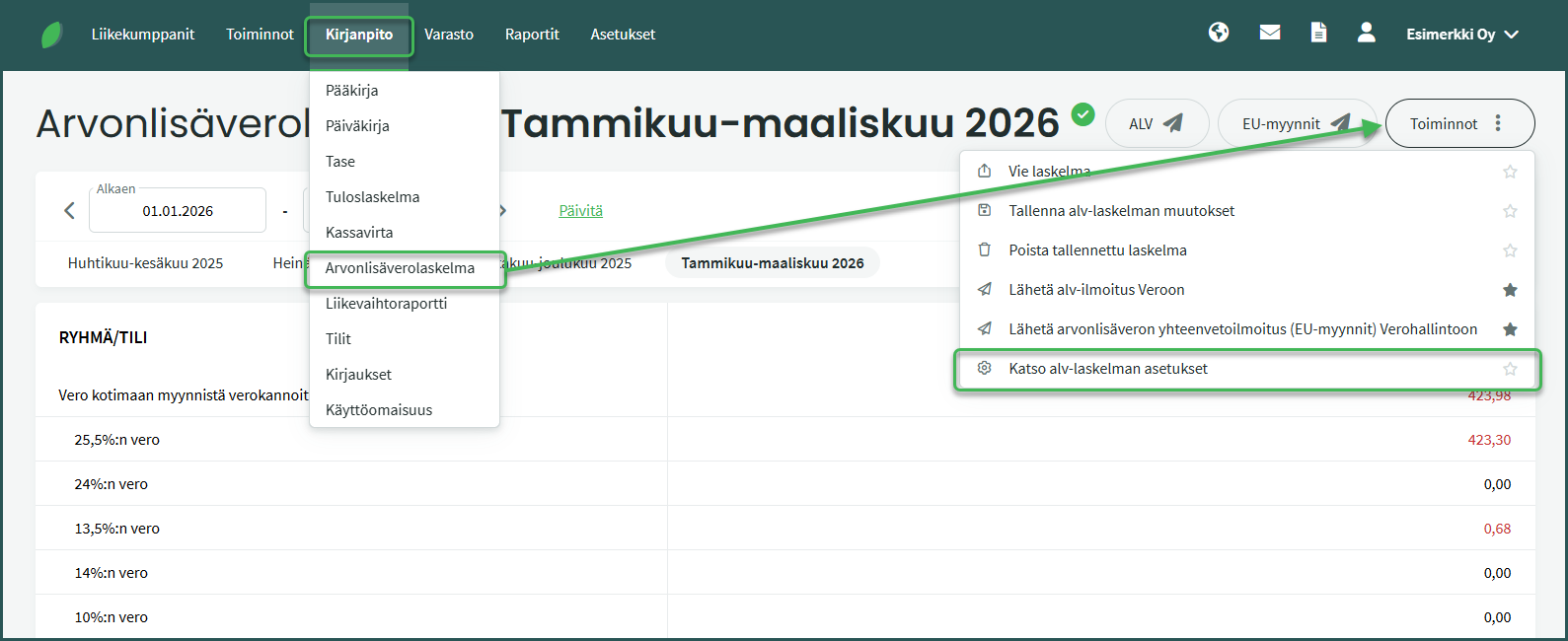
1. VAT statement settings can be edited under Accounting > VAT statement > Actions > View VAT statement settings.
2. You can adjust the report settings as needed, for example by adding accounting accounts to rows or adding rows under different VAT categories.
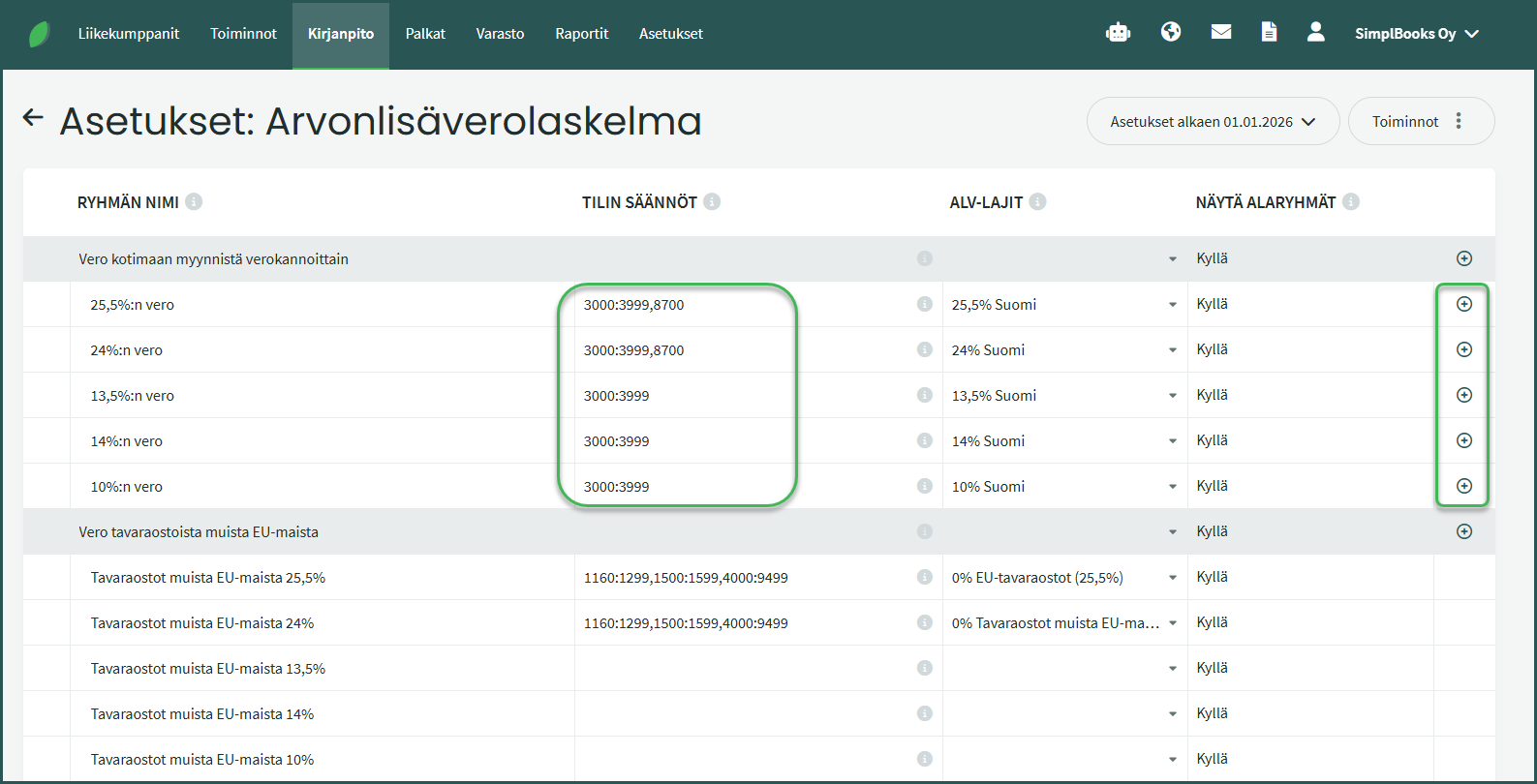
- You can restore the VAT statement to its default settings or to your previous custom settings from the Actions menu on the right, if you have made changes and want to revert them.
Leave A Comment?