
This guide explains how to record completed work in SimplBooks and invoice it to a client at a later time.
Billable work refers to tasks or expenses that are intended to be invoiced to a client at a later time. These can include, for example, hourly entries, mileage reimbursements, or other costs to be billed to the client.
When should you use the Billable Work feature?
The Billable Work feature is especially useful when you accumulate multiple billable entries for the same company. It allows you to collect all work done throughout the month, for example, and generate a single summary invoice for the client at the end of the month.
1. Billable work entries are added under Activities > Billable Work > New Entry.
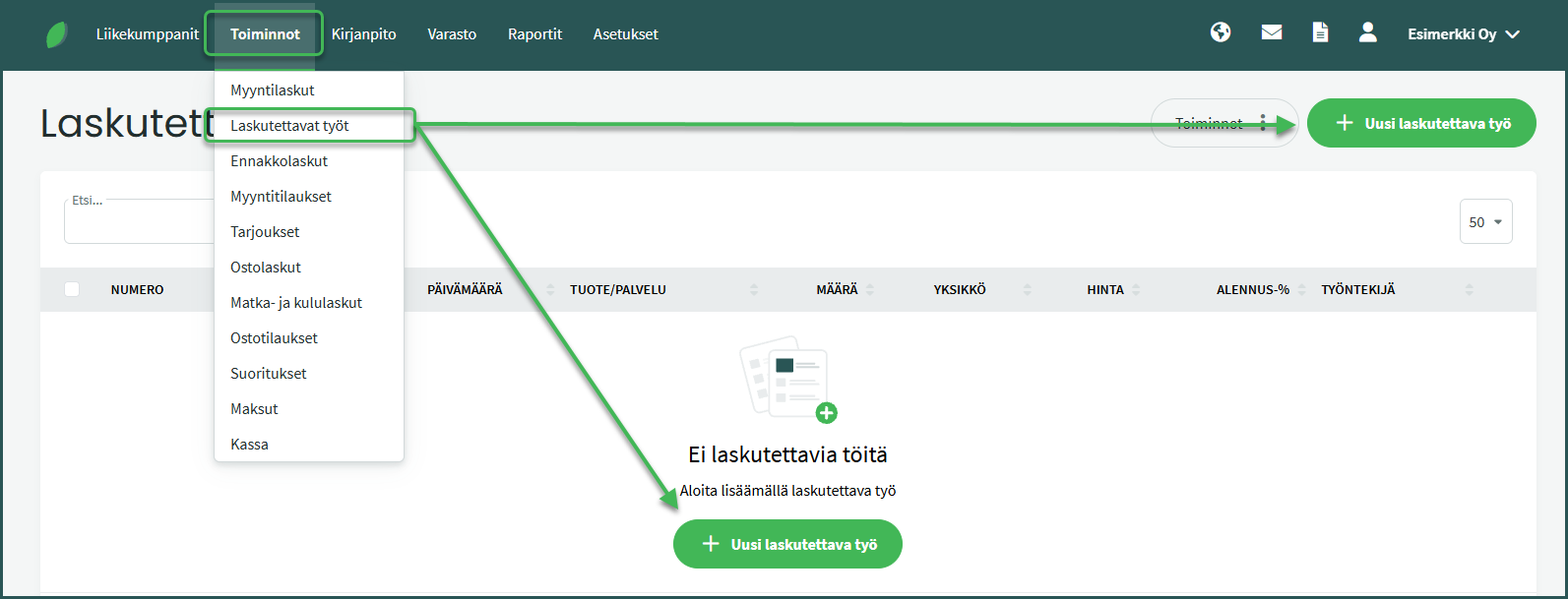
2. Enter the details of the billable work entry.
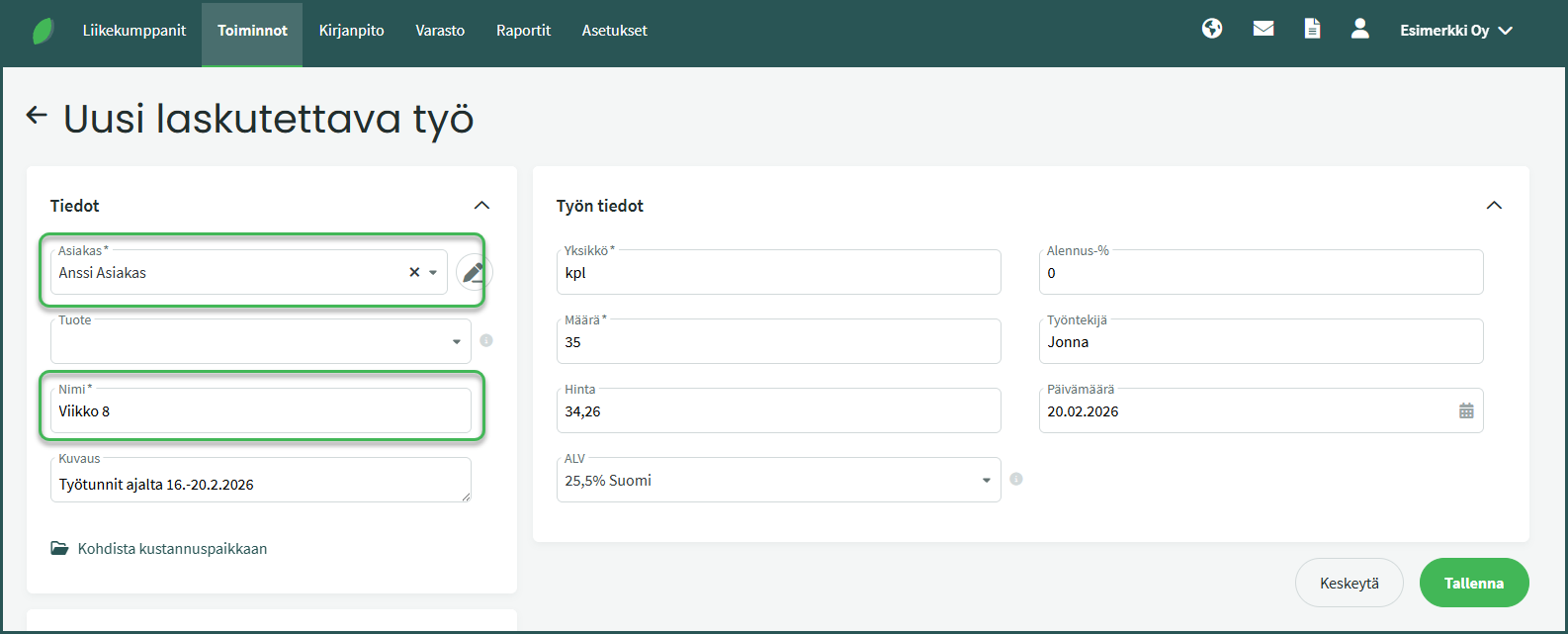
- Client – You can select an existing client or add a new client by typing the client’s name directly in the field on the same view.
- Product – If you select a product from inventory, the program will automatically fill in the pre-set fields.
- You can create a new product under Inventory > Products > New Product.
- See the guide here.
- Name – If you do not select a saved product, enter the name of the billable product or service.
- Description – You can optionally save a more detailed description of the billable product or service.
3. Adding billable work to a sales invoice
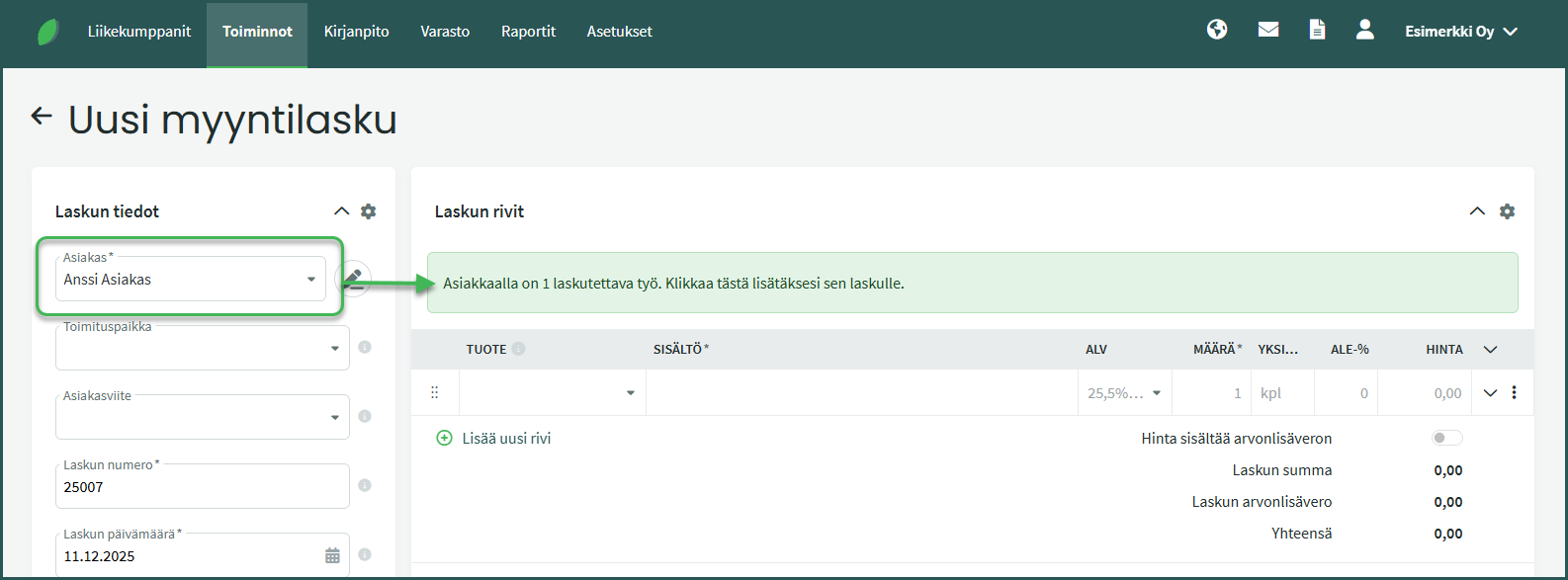
The next time you create a new sales invoice for the client under Activities > Sales Invoices > New Sales Invoice, the program will automatically suggest adding the billable work entries to the invoice.
By clicking the suggestion, the program adds the entries to the sales invoice. You can also add other line items to the invoice as needed.
Leave A Comment?