
This guide explains how to check or update the inventory balance.
When does the inventory balance change?
The inventory balance changes whenever products are added to or removed from stock. The balance increases when you purchase new inventory products and record them on a purchase invoice, or when you add opening inventory — for example, if you already had stock before starting to use SimplBooks.
The inventory balance changes whenever products are added to or removed from stock. The balance increases when you purchase new inventory products and record them on a purchase invoice, or when you add opening inventory — for example, if you already had stock before starting to use SimplBooks.
The balance decreases when you add products to a sales invoice or reduce products from inventory. The balance also changes when you transfer products between warehouses and during stocktaking.
📢 Note! The inventory balance is visible only when inventory tracking is enabled in the system. Using inventory tracking adds complexity to your bookkeeping, and we recommend using it only when it adds value to your business.
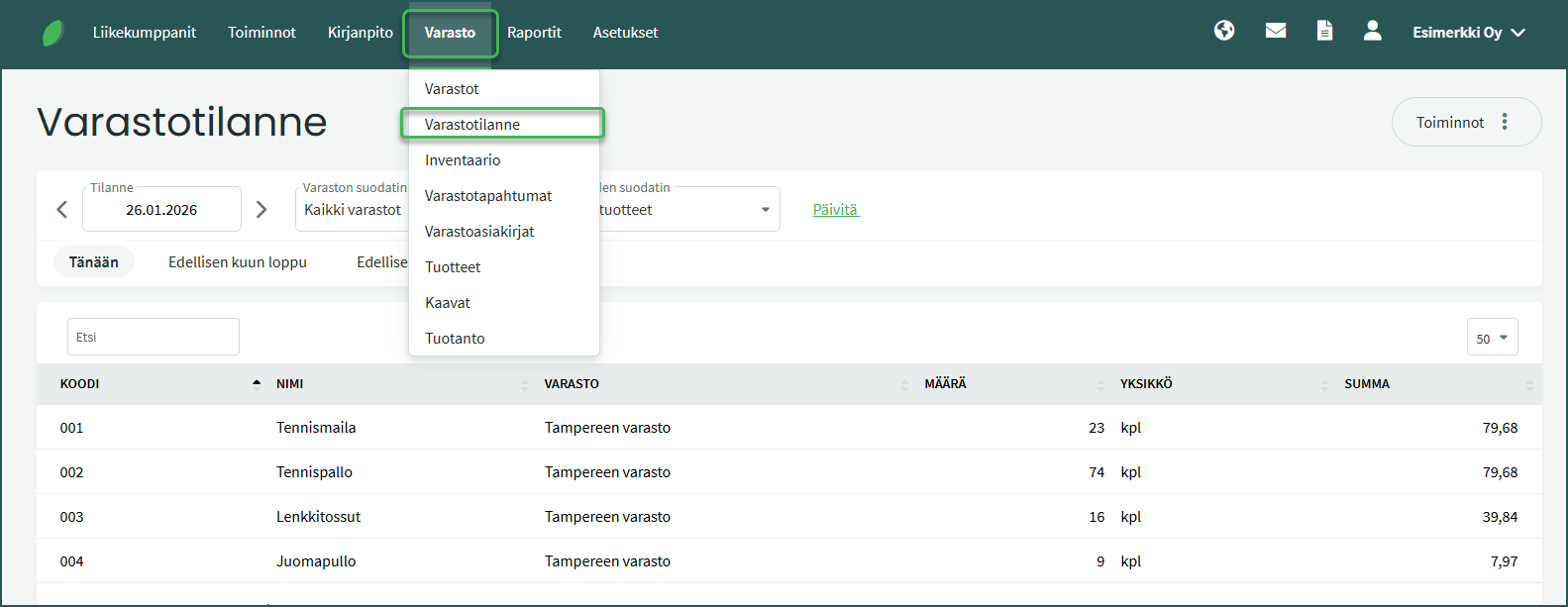
1. The inventory balance is visible at Inventory > Inventory Status.
2. Select the inventory status to view
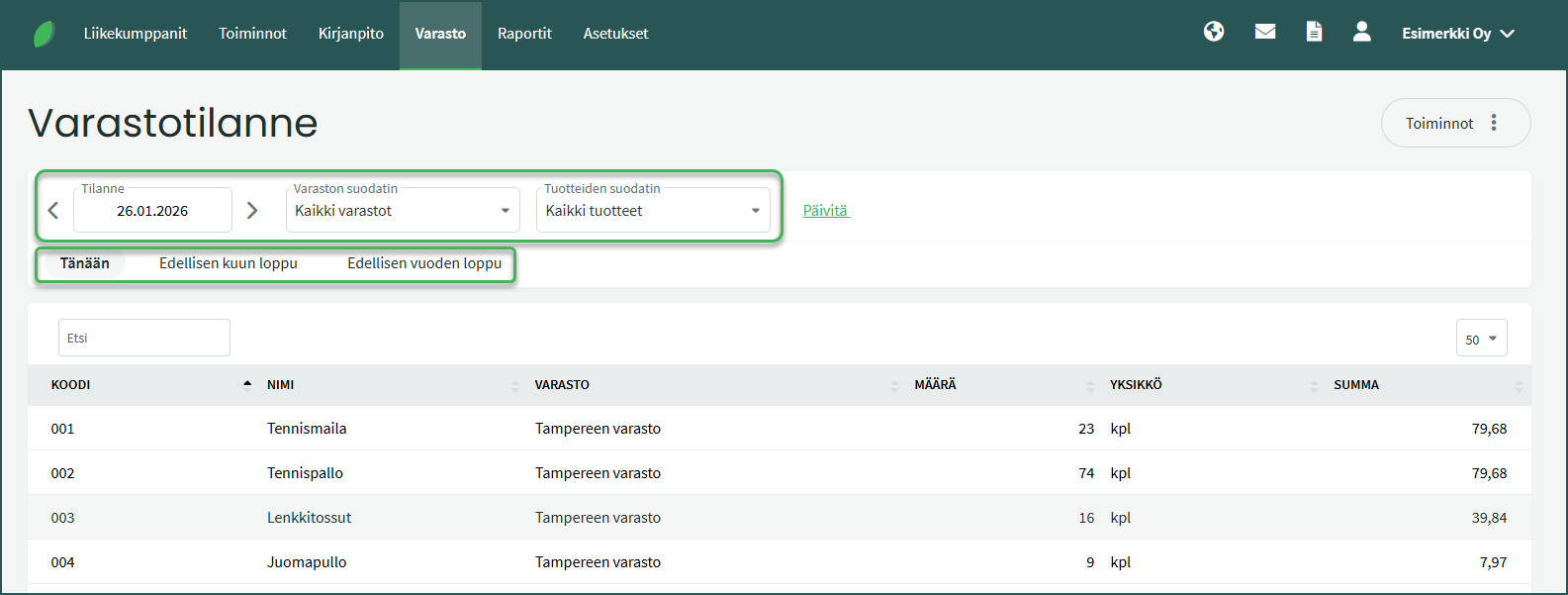
- Use the calendar to select the date for which you want to view the inventory status.
- You can also use quick selections (today, end of previous month, or end of previous year).
- The displayed data can also be filtered by warehouse and product status (all, in stock, or out of stock).
Leave A Comment?